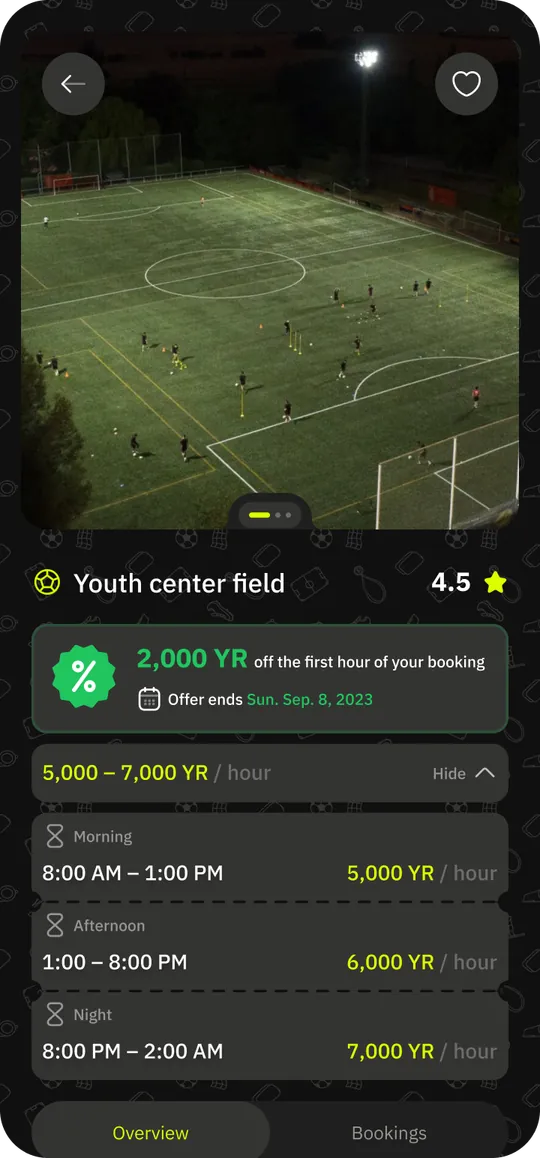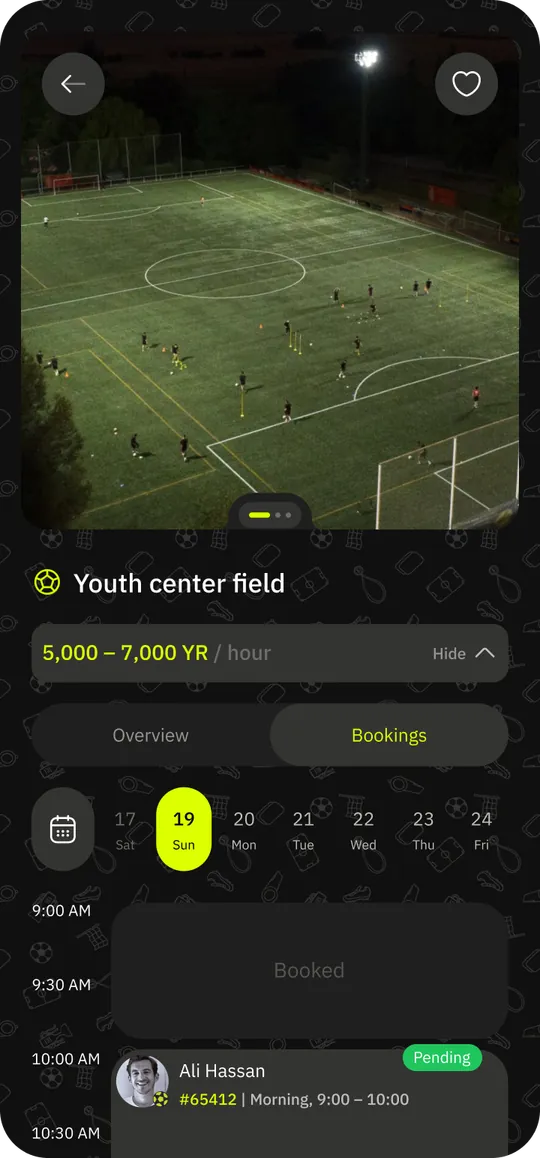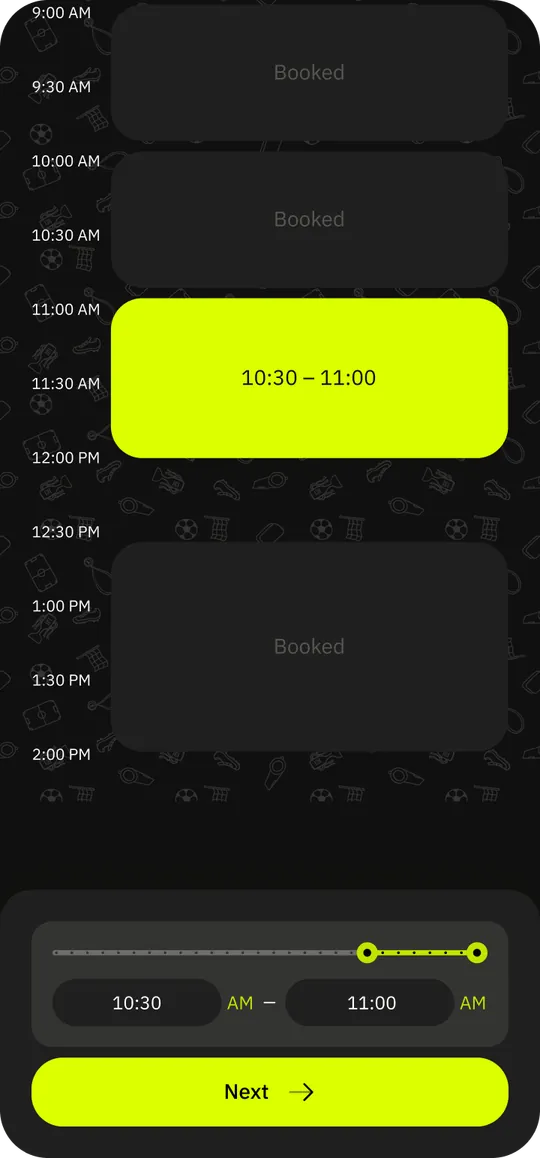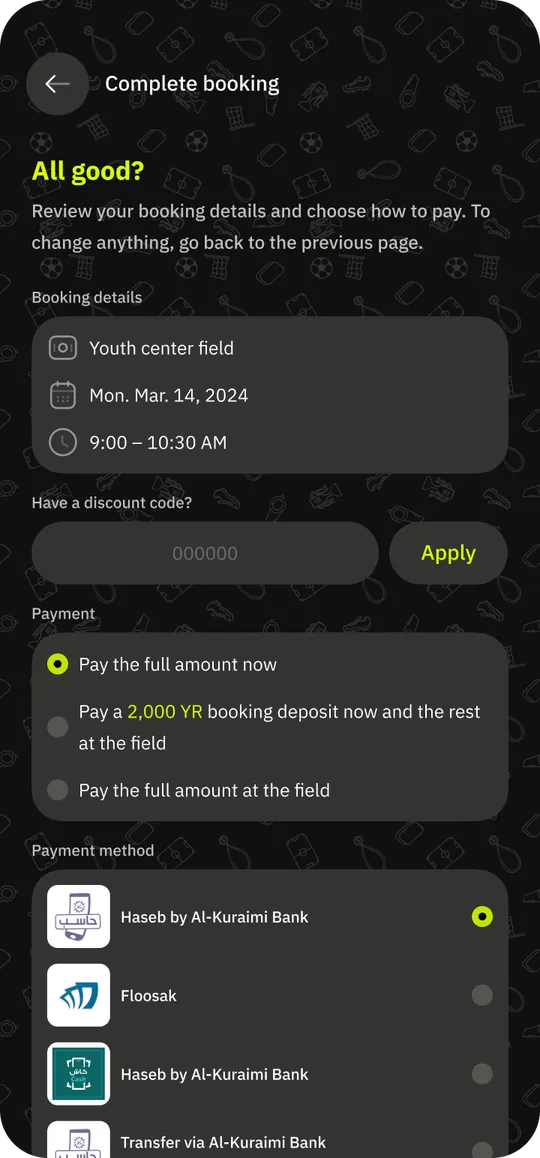
Ehjezlee · Case study
Booking a getaway in Yemen, made simple
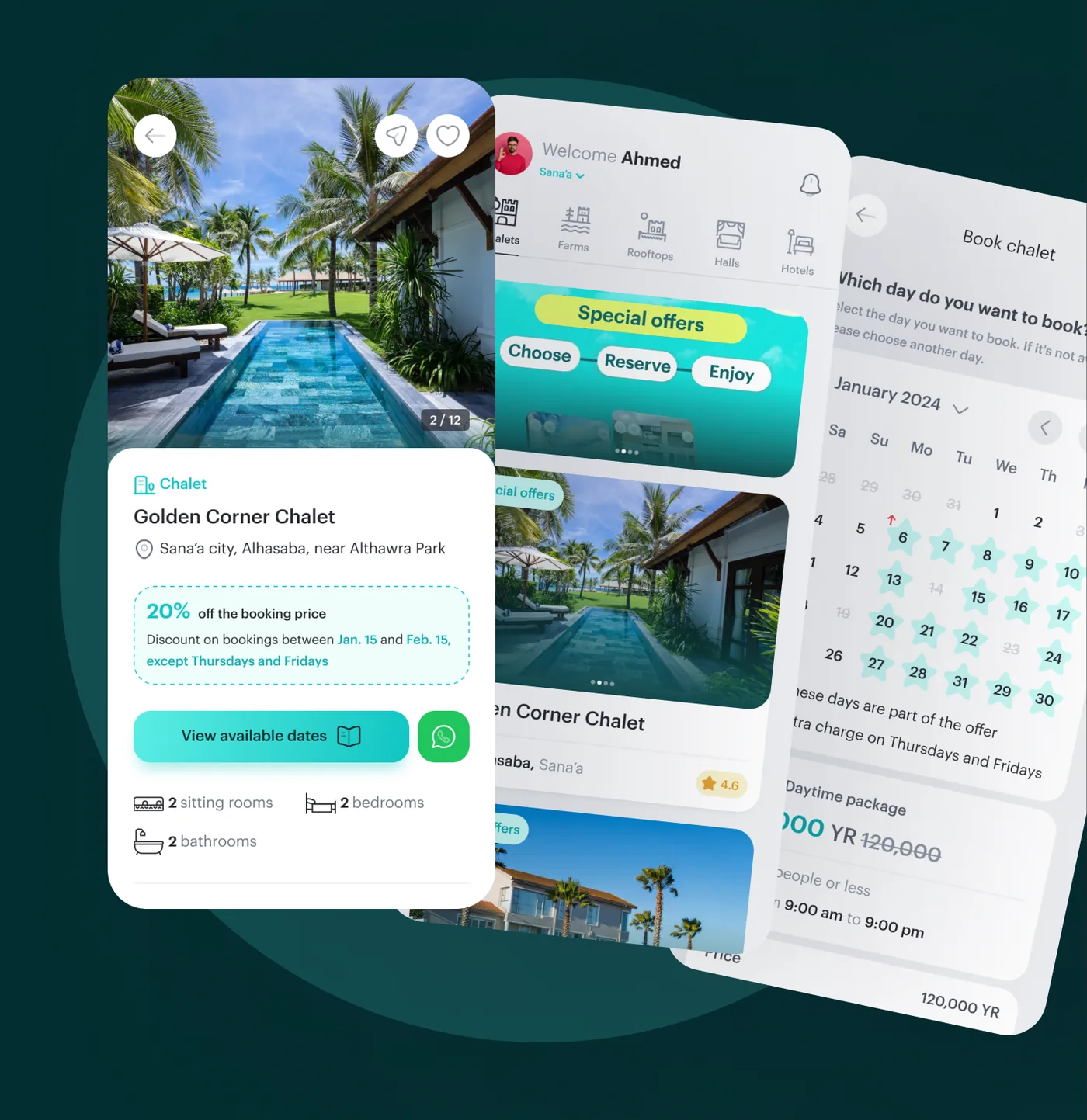
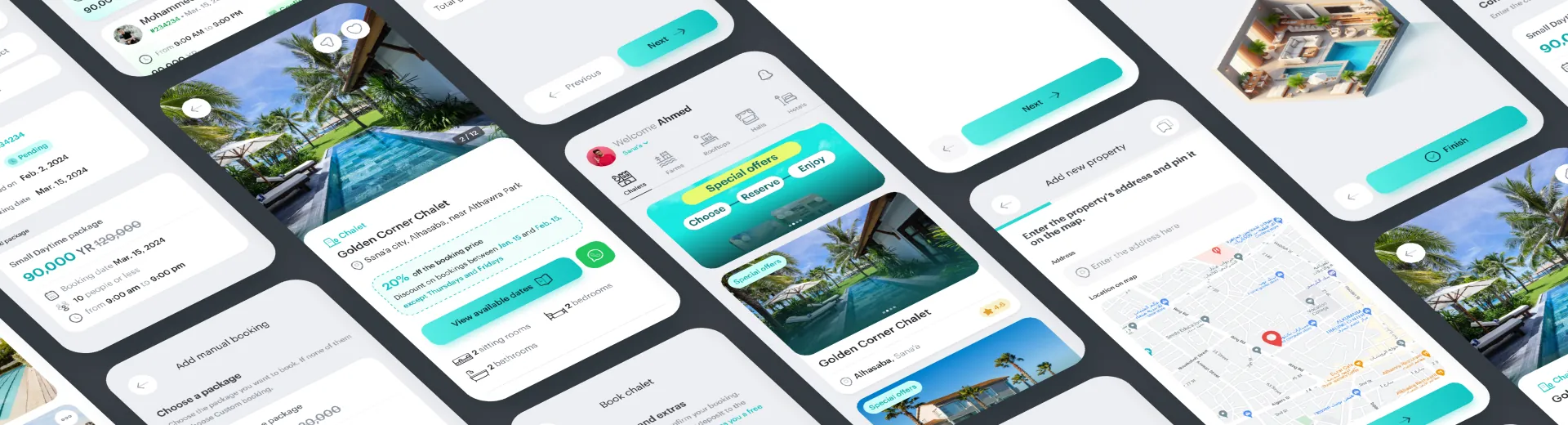
Ehjezlee is a booking platform for chalets, hotels, event halls and more in Yemen. Guests find and book a place in minutes; owners list their properties and manage every booking from their phone.
By the numbers
Reach
Usage
Ehjezlee launched on August 1, 2024. Figures as of October 2026, from Google Play, the App Store and the production database.
Overview
Two apps, one booking platform
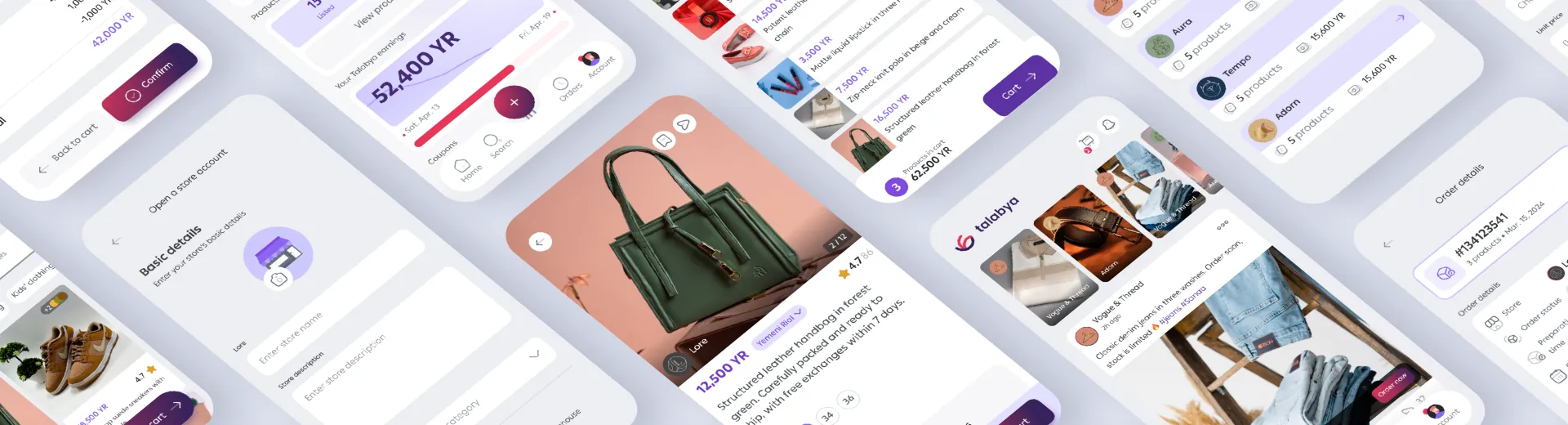
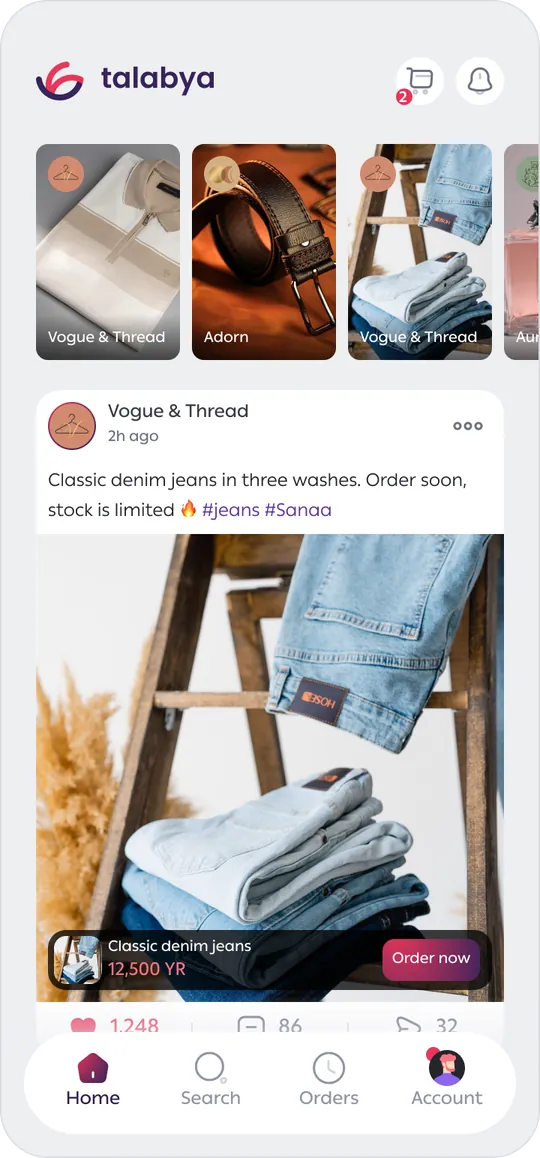
Finding a chalet for a family weekend used to mean calling owners one by one to ask about dates, prices and deposits. I designed two connected apps: one where guests discover and book places, and one where owners list their properties and run every booking.
Guest app
Find a place and book it
- Browse chalets, hotels and event halls by city
- See real availability and price packages
- Pay the booking deposit with local banks and wallets
Owner app
List a property and run it
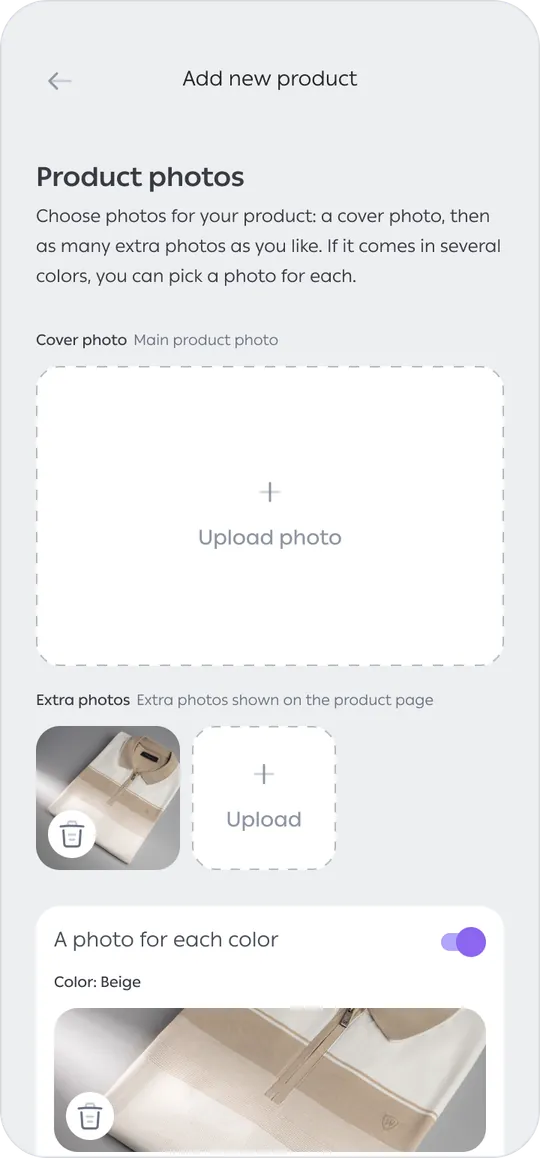
- Add a property in short, guided steps
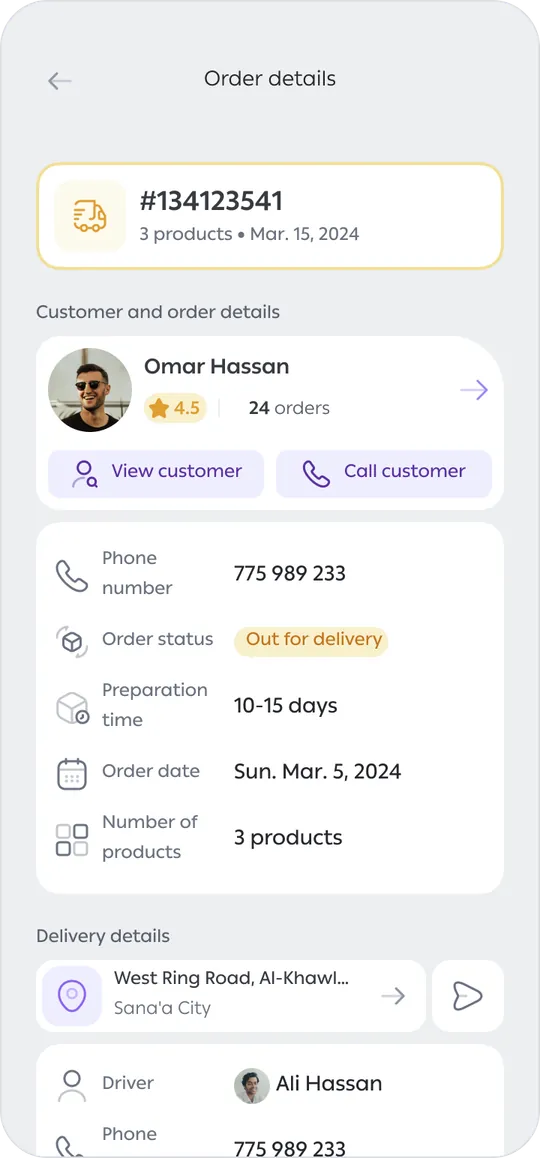
- Track bookings in a calendar or a list
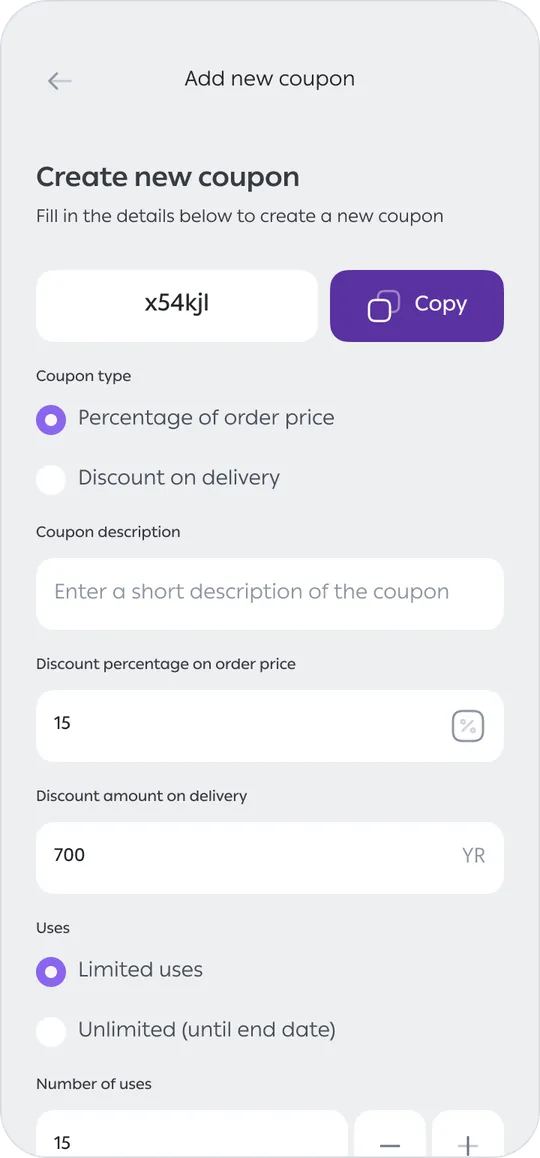
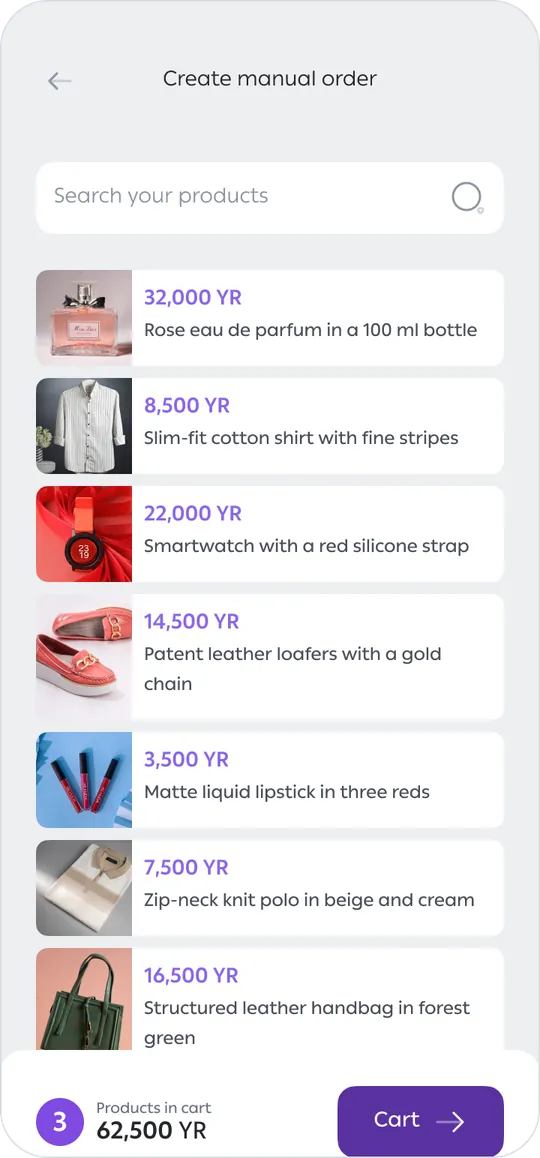
- Add phone bookings, block days and create coupons
What I did
- User research
- Information architecture
- User flows
- Wireframes
- UI design
- Design system
- Developer handoff
Process
From requirements to screens
At the start of every project, I meet with the stakeholders to gather all the requirements of the product. I write down what each user needs to do and what the system has to handle. That becomes a context diagram, a use case diagram for each user and a full table for each use case. Each use case then turns into one or more screens. Some of these steps might be added or removed based on the size of the project. Here’s a sample from the guest app.
- 01Requirements
- 02Context diagram
- 03Use case diagrams
- 04Use case tables
- 05Screens
Step 01 · Requirements
Requirements per user
Functional requirements are written for each user. Then the non-functional ones the whole system has to meet.
Functional · Guest (excerpt)
- FR-01Log in or sign up with a Yemeni phone number, confirmed by a one-time code.
- FR-02Browse chalets, hotels and event halls by city and property type.
- FR-03See a property’s photos, price packages, policies and reviews.
- FR-04Pick an available day and a package, then send a booking request to the owner.
- FR-05Pay the booking deposit once the owner confirms, and pay the rest on arrival.
- FR-06…
Non-functional · Whole system
- Clarity
- Usability
- Performance
- Reliability
- Security
- Availability
- Scalability
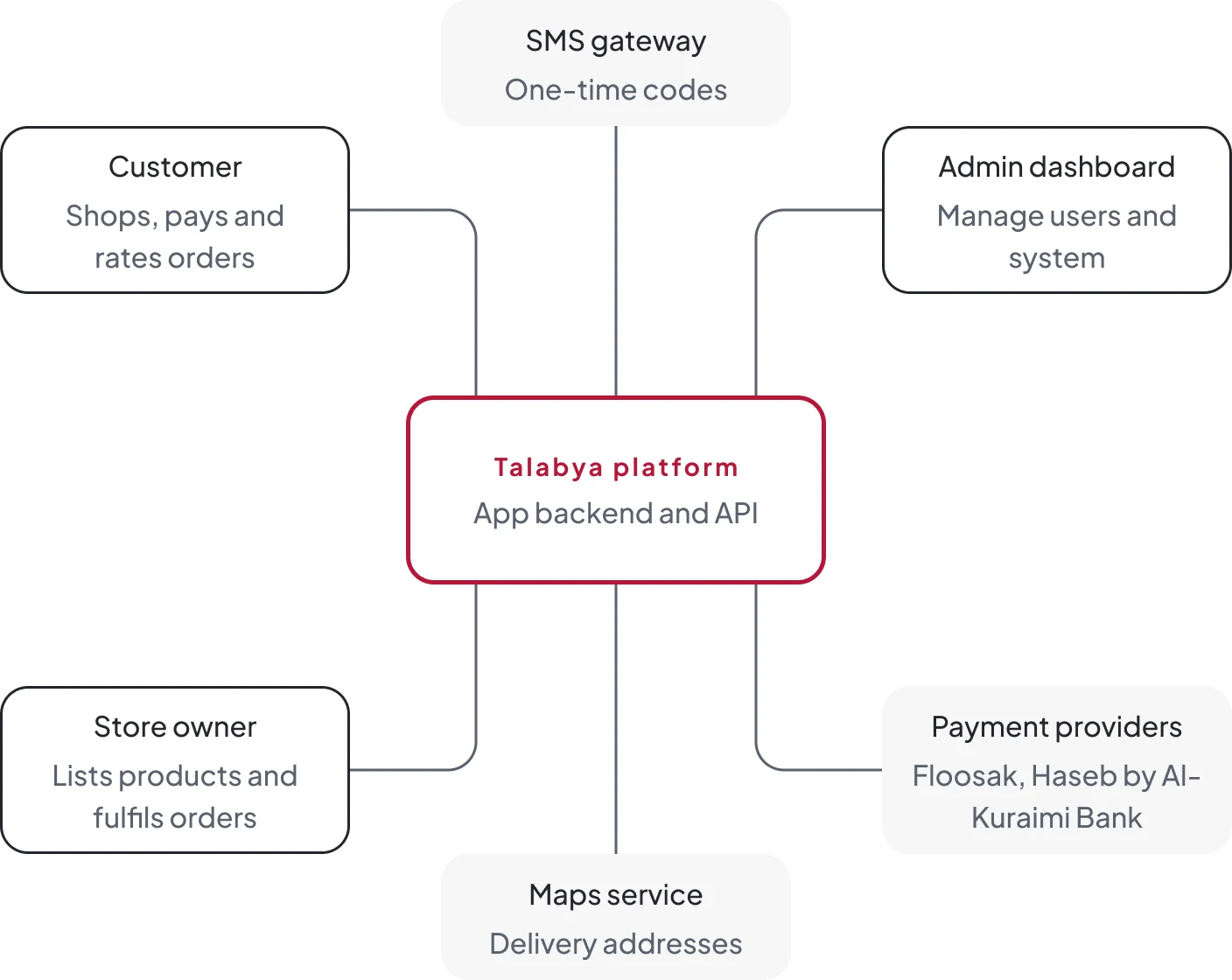
Step 02 · Context diagram
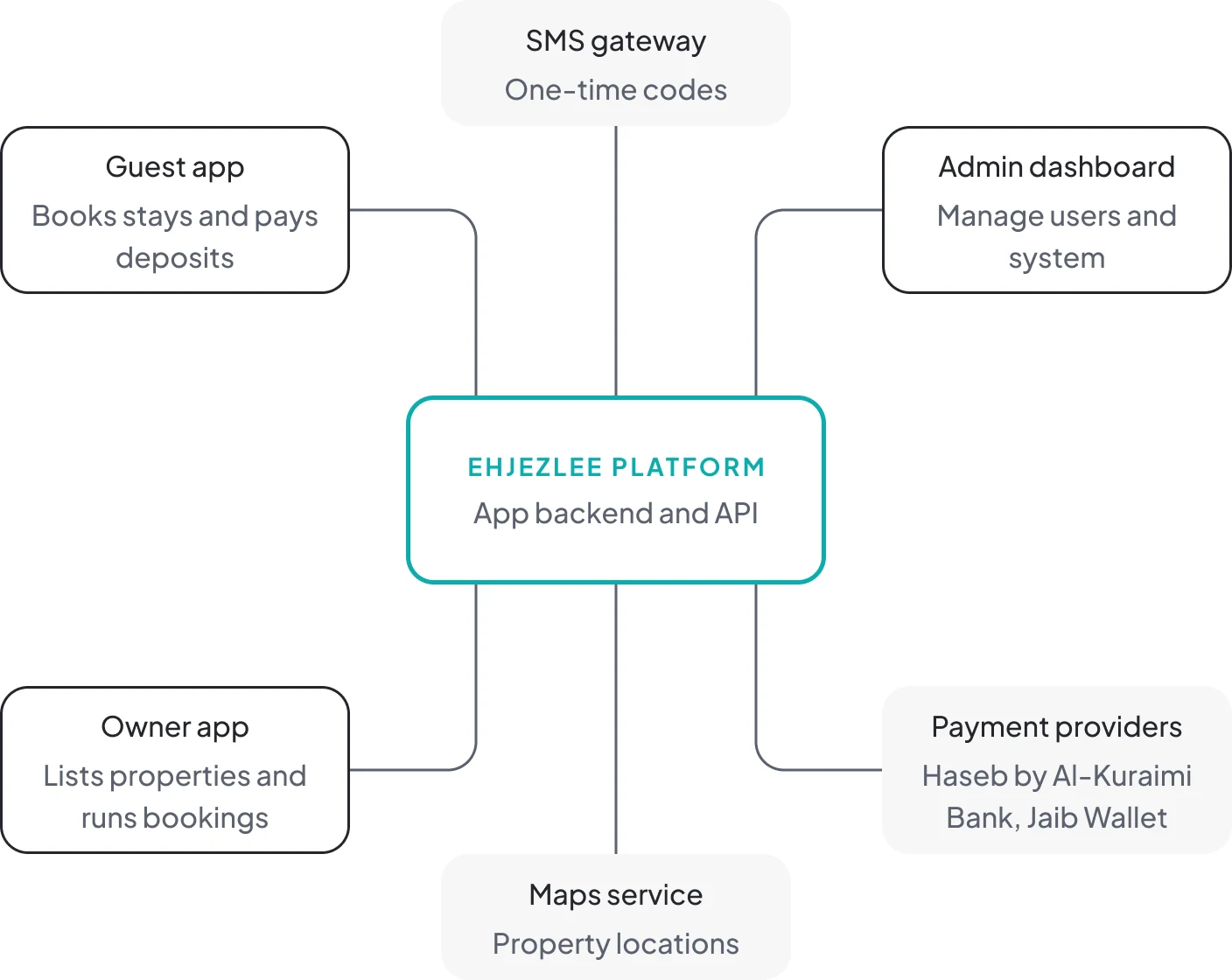
The system and what it talks to
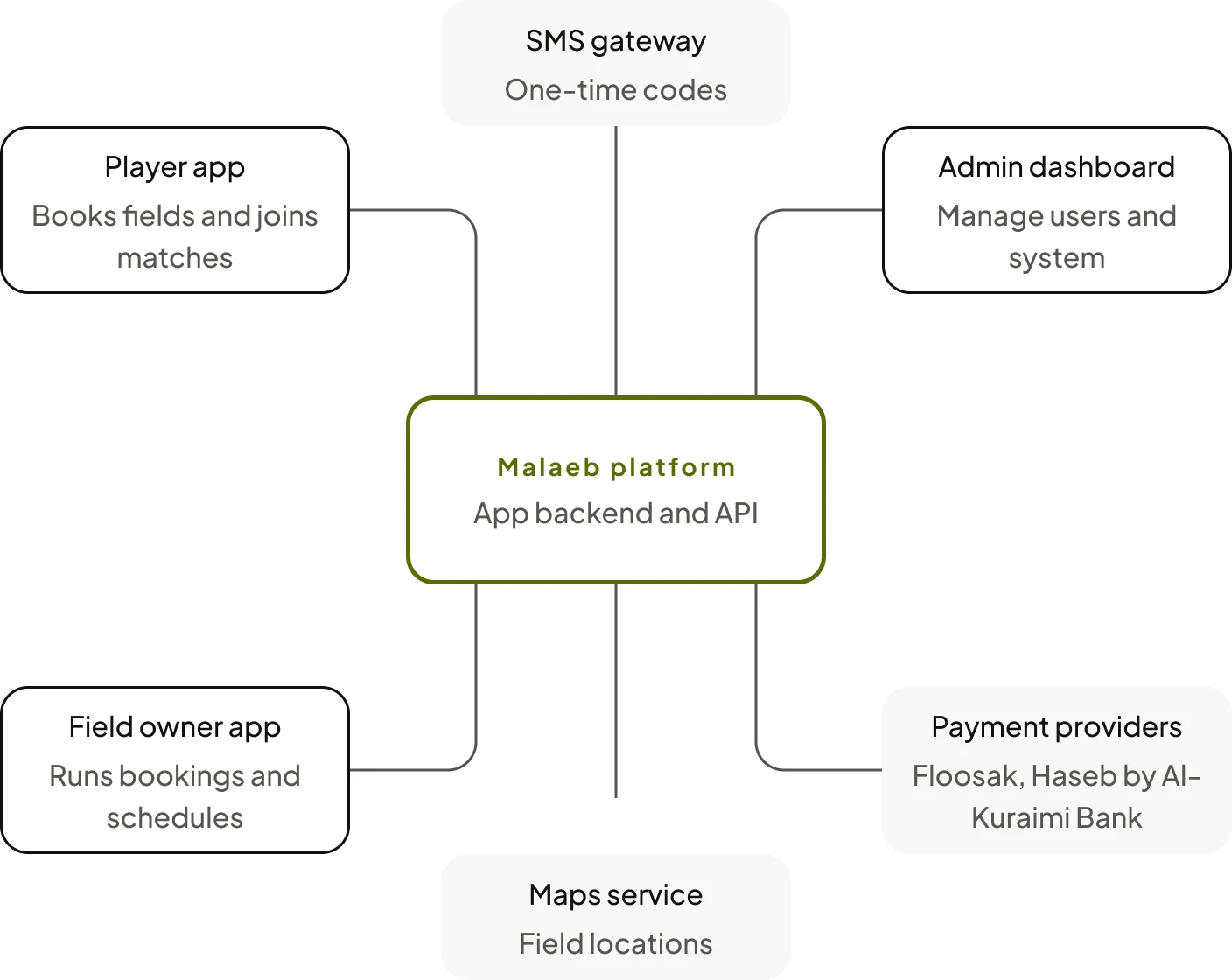
The guest app and the owner app run on one platform. The admin dashboard and outside services sit around it.
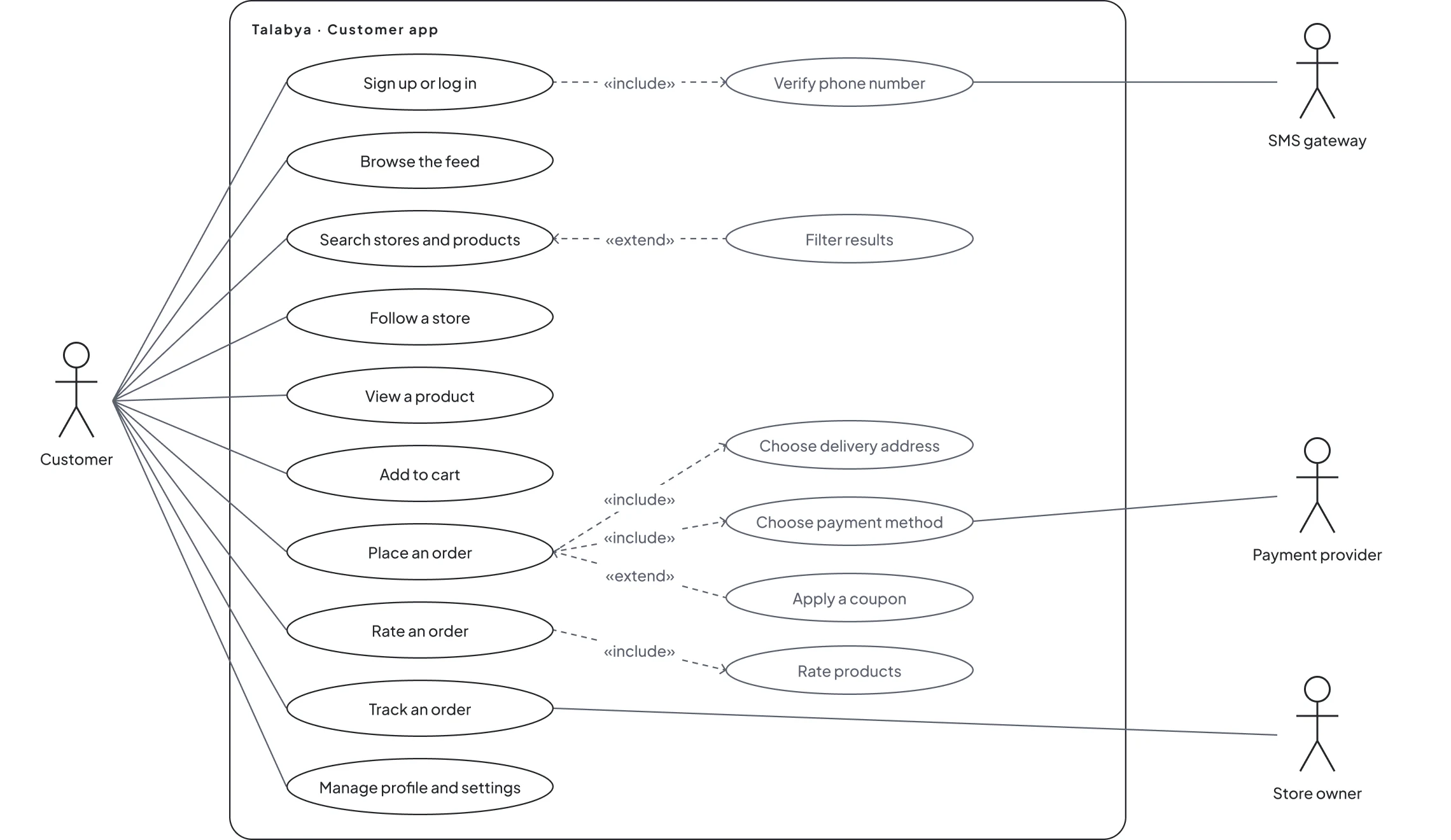
Step 03 · Use case diagram
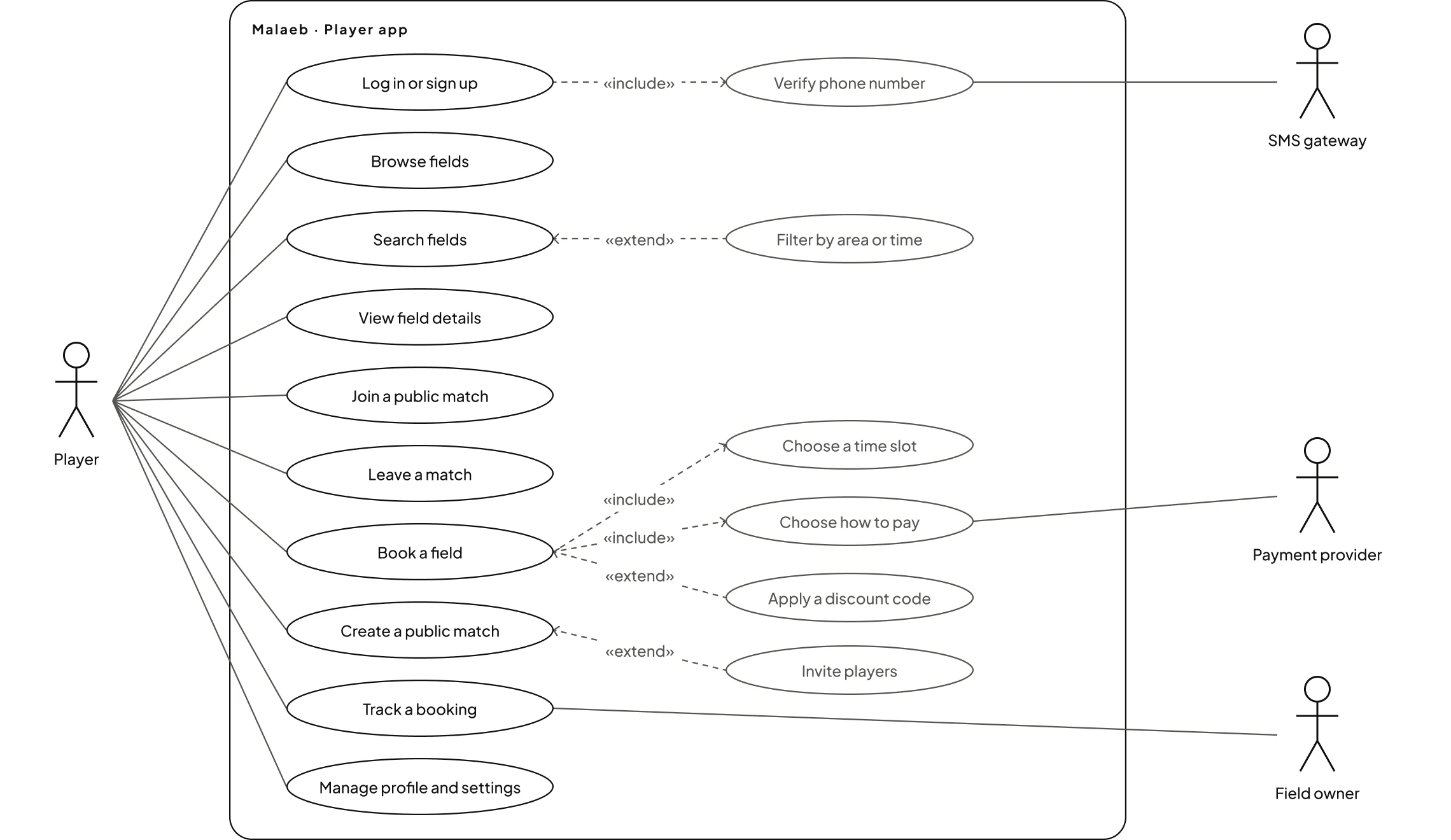
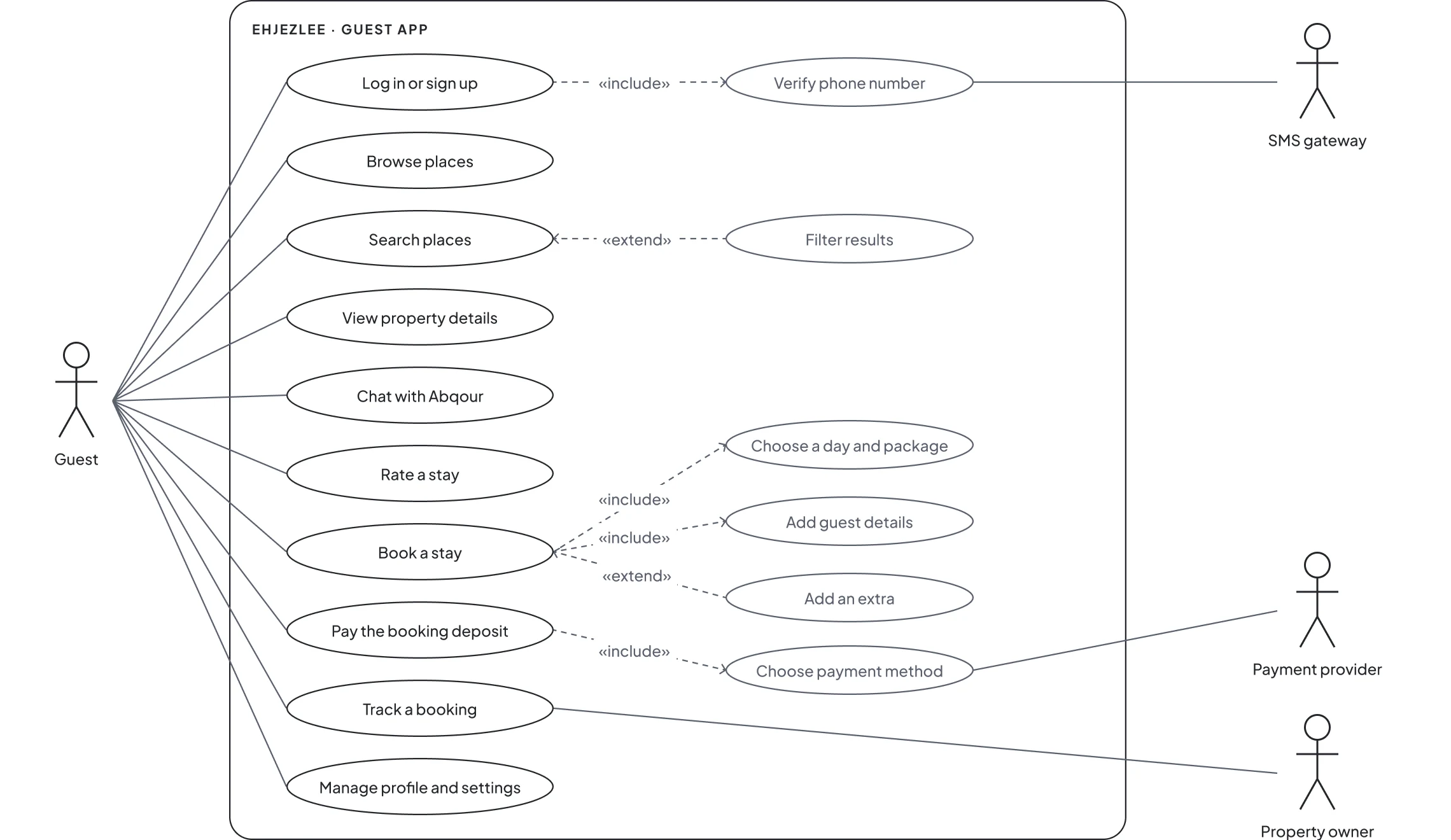
Everything a guest can do
The next step is to list all use cases for each user and how they connect with other parts of the system. «include» marks a step that always happens, «extend» marks an optional one.
Step 04 · Use case table
Book a stay
The core guest use case, written out in full.
| Function | Book a stay |
|---|---|
| ID | 1.7 |
| Actor | Guest · Mandatory |
| Data |
|
| Validation |
|
| Description |
|
| Special cases |
|
| Feedback |
|
| Screens | Property details → Choose a day → Guest details → Confirm booking → Extras and payment → Request under review |
Step 04 · Use case table
Pay the booking deposit
The step that turns a confirmed request into a booking.
| Function | Pay the booking deposit |
|---|---|
| ID | 1.8 |
| Actor | Guest · Mandatory |
| Data |
|
| Validation |
|
| Description |
|
| Special cases |
|
| Feedback |
|
| Screens | Notifications → Pay booking deposit → Booking details |
Flow 01 · Guest app
Booking a stay
From browsing to a confirmed booking in a few steps, with every price, policy and deposit visible before the guest commits.
Decision 01
Availability first
The calendar shows bookable days, offer days and weekend surcharges up front, so guests never pick a day that’s already taken.
Decision 02
No surprises on price
Every step repeats the price breakdown: the discount, the booking deposit and what’s left to pay on arrival.
Decision 03
Deposits that fit local payments
Guests send a request, the owner confirms it, then the guest pays the booking deposit through the banks and wallets they already use.
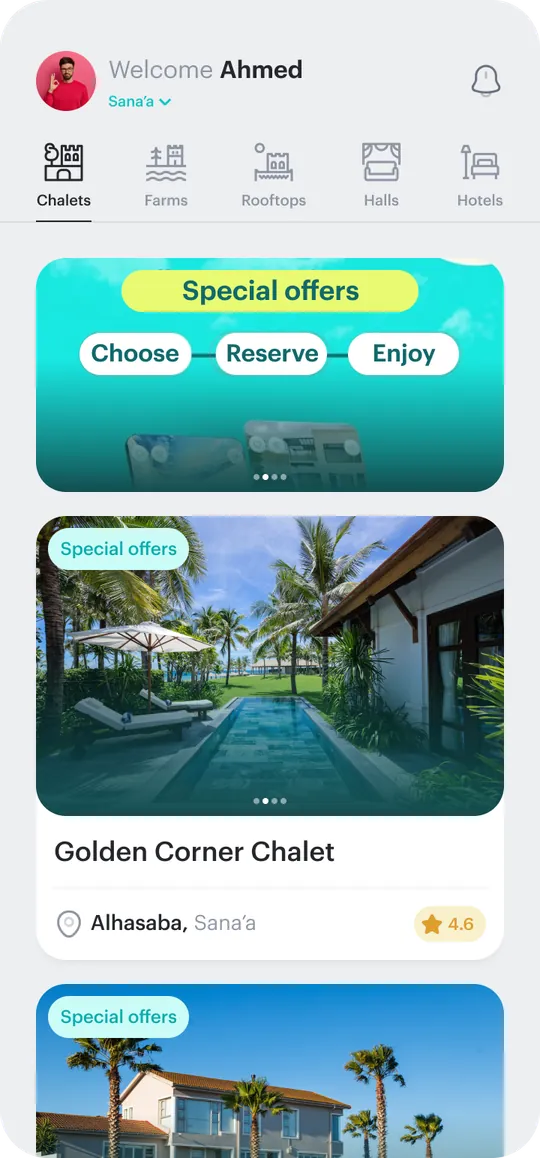
01Browse by city and property type 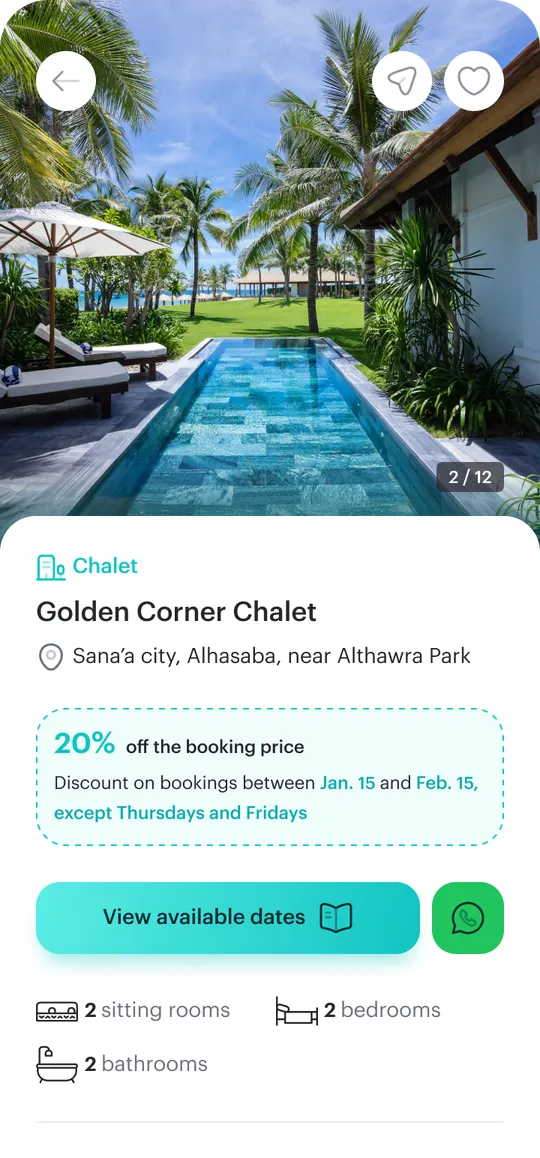
02Photos, packages, policies and reviews 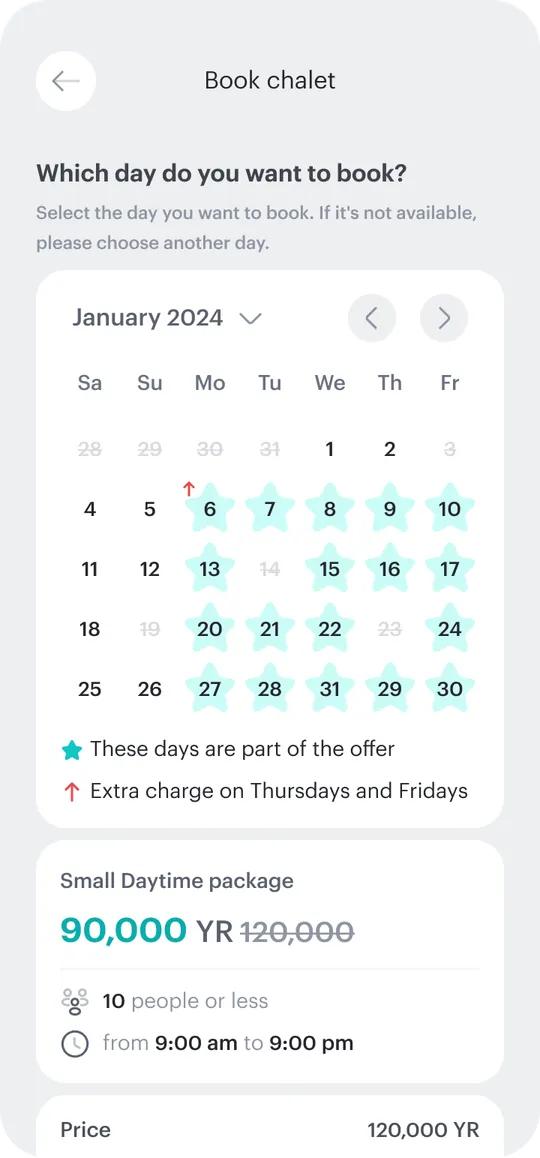
03Pick an available day 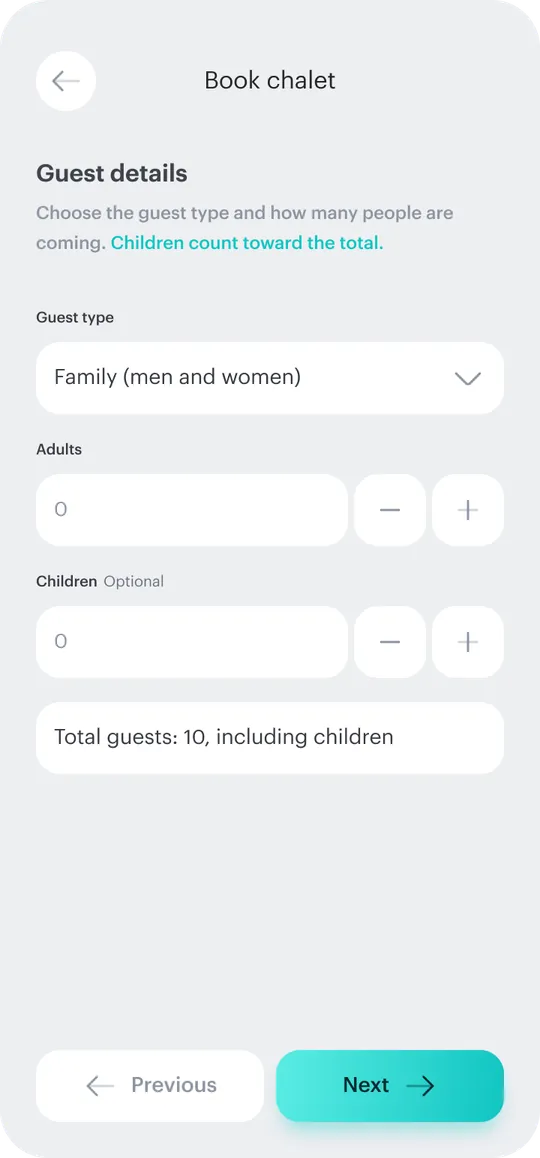
04Add guest details 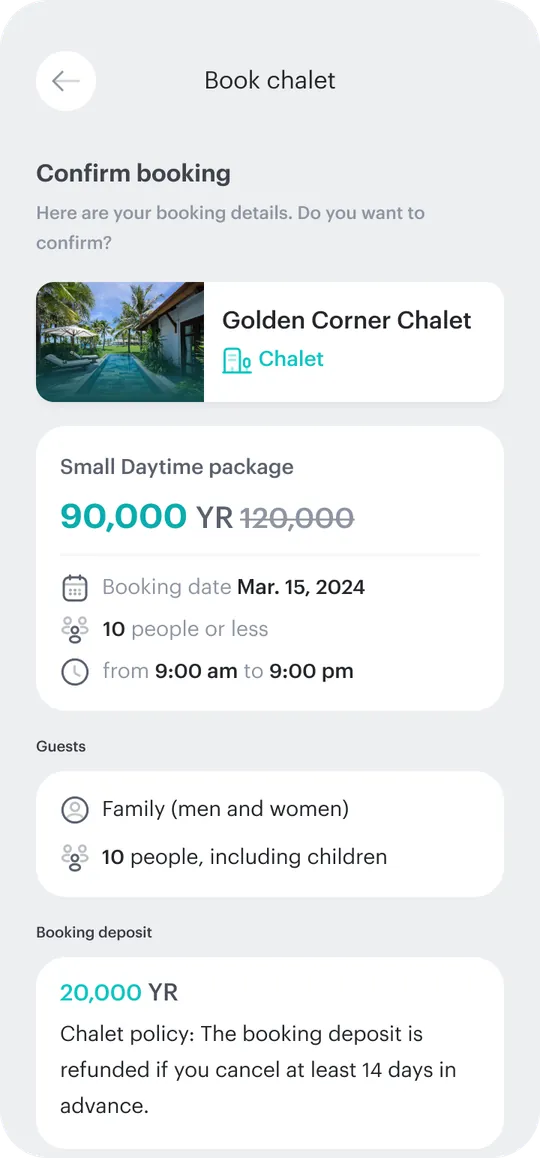
05Review the booking and terms 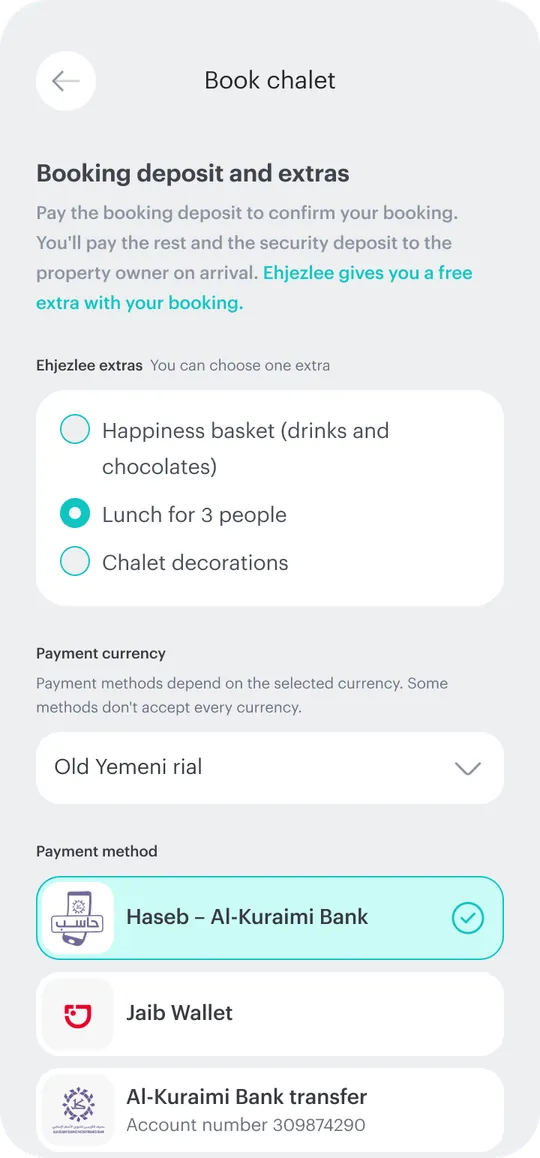
06Pick extras and a payment method 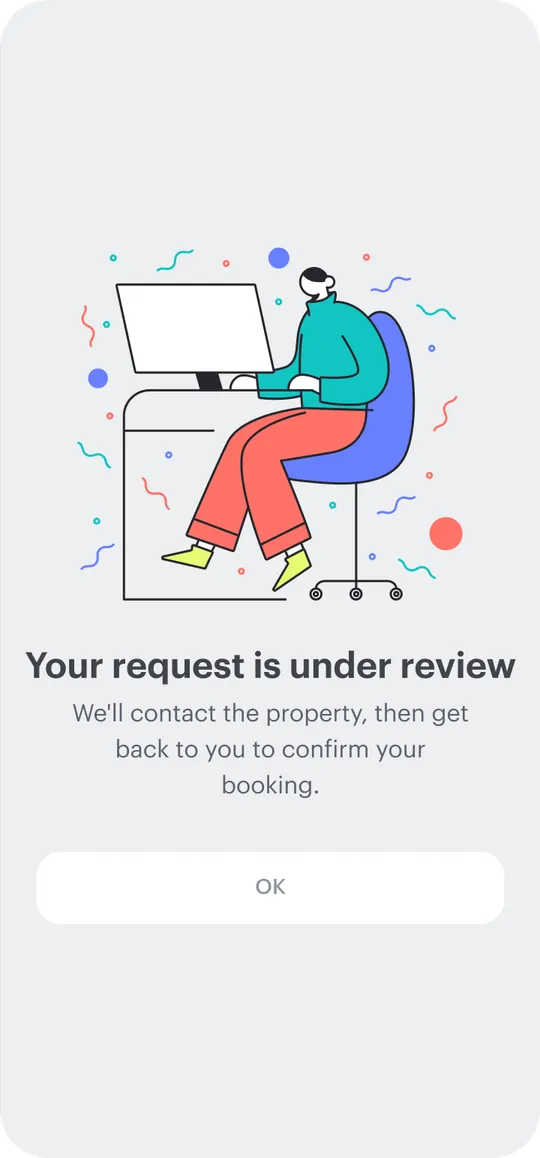
07The owner reviews the request 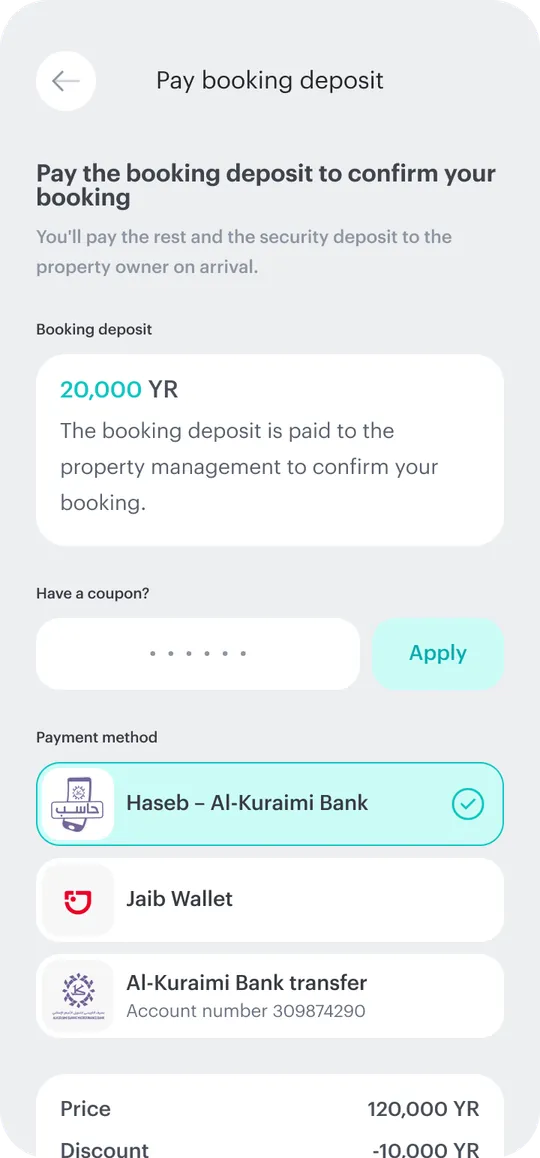
08Pay the booking deposit
Flow 02 · Owner app
Listing a property
A listing needs a lot of details, from rooms and amenities to deposits and policies. I split it into short, focused steps so owners can finish it on their phone, even in more than one sitting.
Decision 01
One question per screen
Each step asks for one thing, with a progress bar on top, so a long form never feels long.
Decision 02
Save and continue later
Owners can leave at any step and pick up unfinished properties right from the Add property screen.
Decision 03
Review before submitting
A summary of every detail lets owners check and edit before the property goes to review.
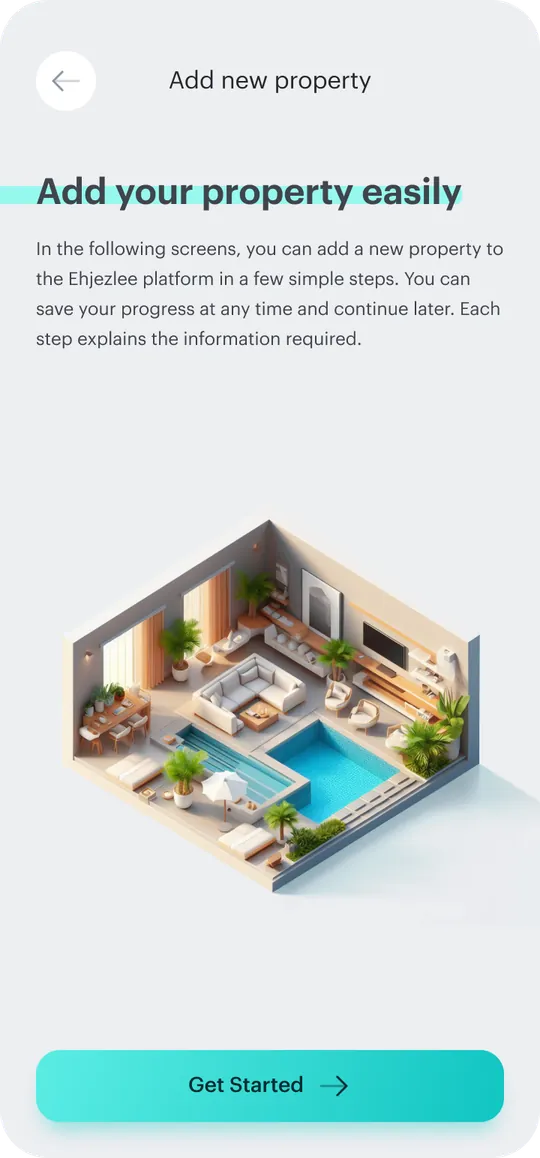
01Start with a quick overview 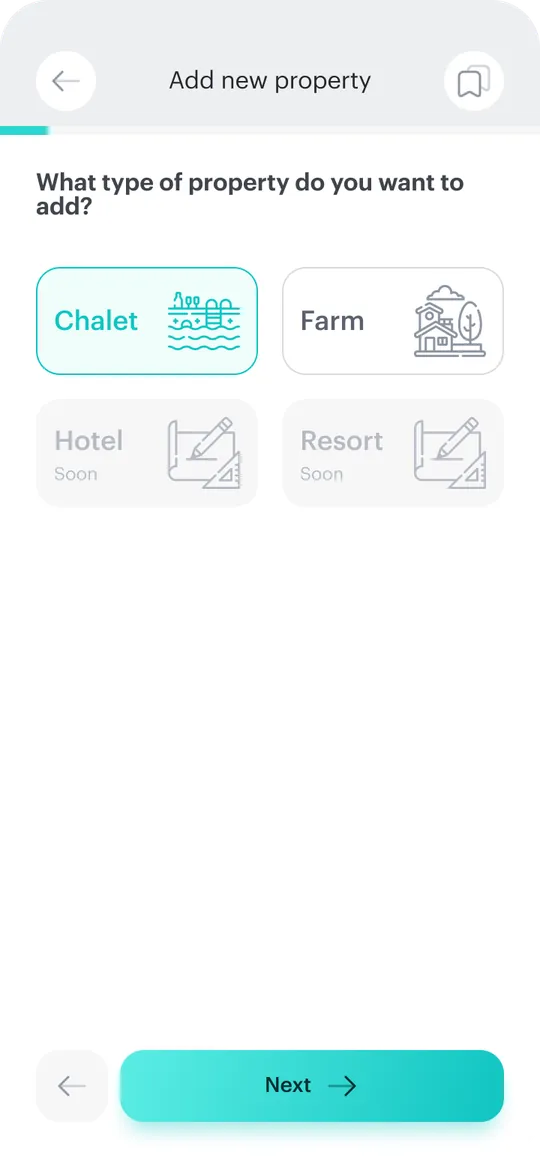
02Choose the property type 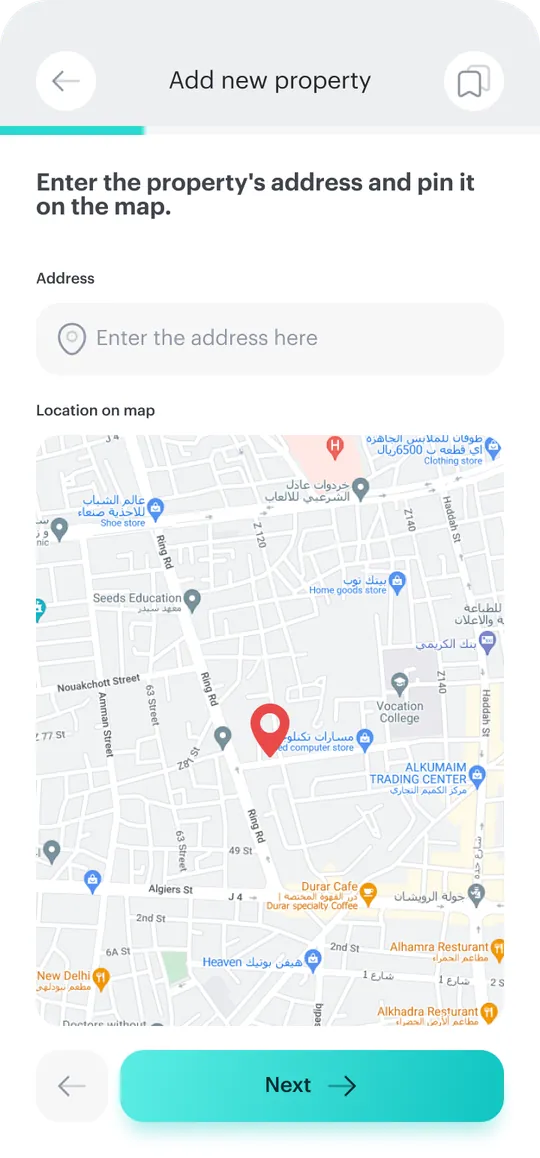
03Pin the address on the map 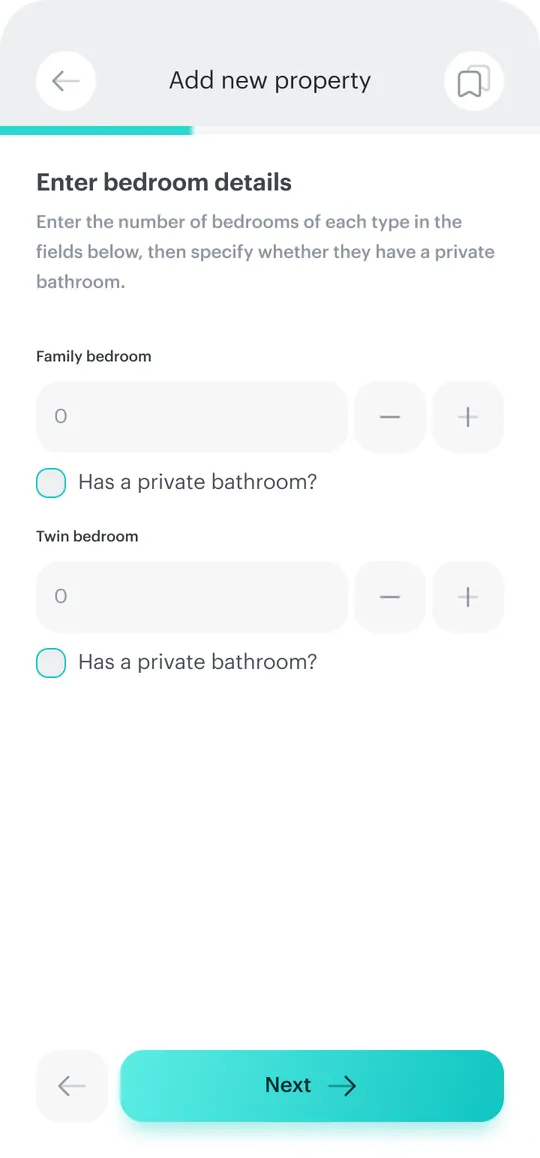
04Add the bedrooms 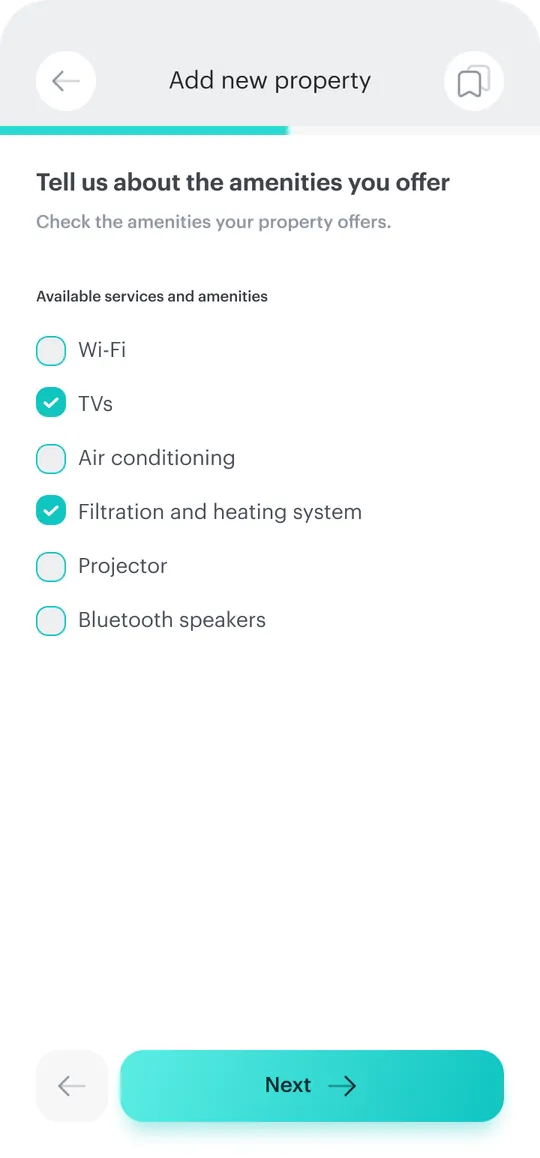
05Check the amenities 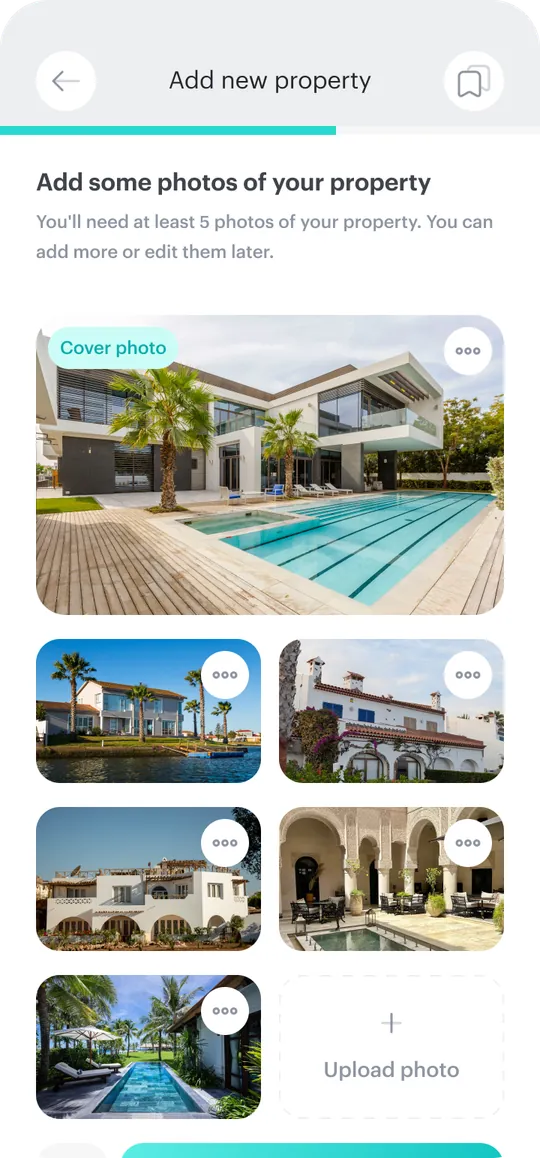
06Upload photos and pick a cover 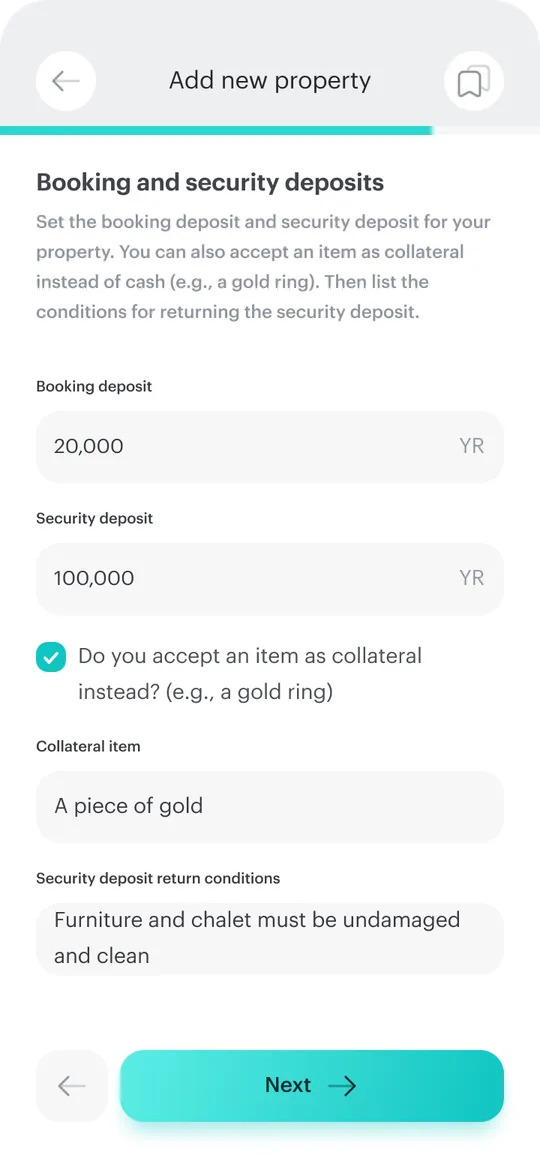
07Set the booking and security deposits 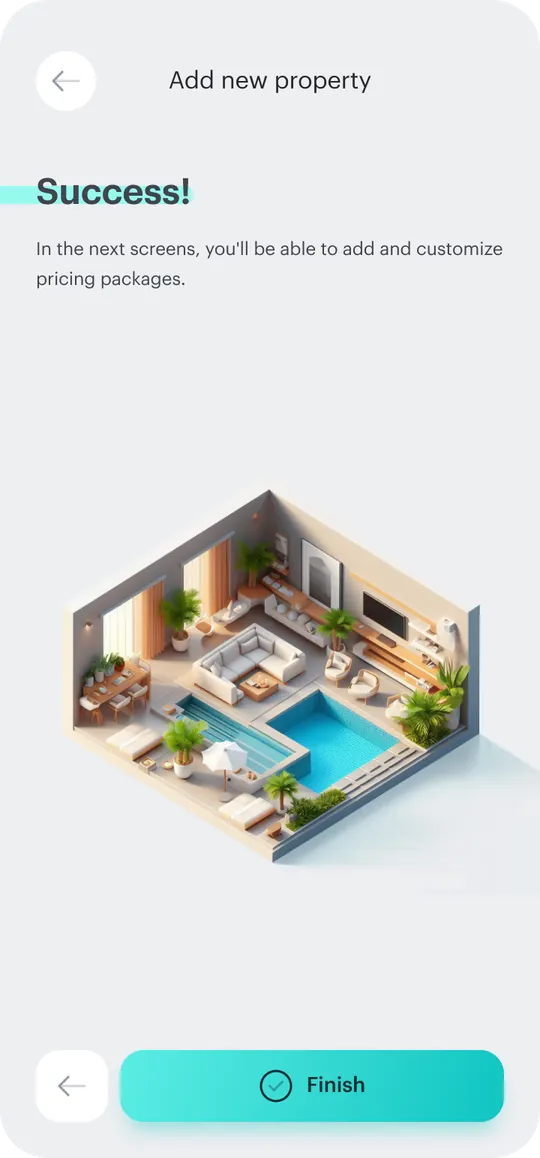
08Submit the property for review
Flow 03 · Owner app
Managing bookings
Many guests still book by phone. Owners log those bookings next to app bookings in one calendar, so the app stays the single source of truth and double bookings get caught early.
Decision 01
Two views of one schedule
The month view shows how busy each day is at a glance; the list view shows each booking’s time, price and status.
Decision 02
Phone bookings live here too
Owners add manual bookings in a few steps, and the app warns them when a time slot is already taken.
Decision 03
Clear actions on every booking
Owners confirm, reject, reschedule or cancel from the booking details, and give guests a reason when they decline.
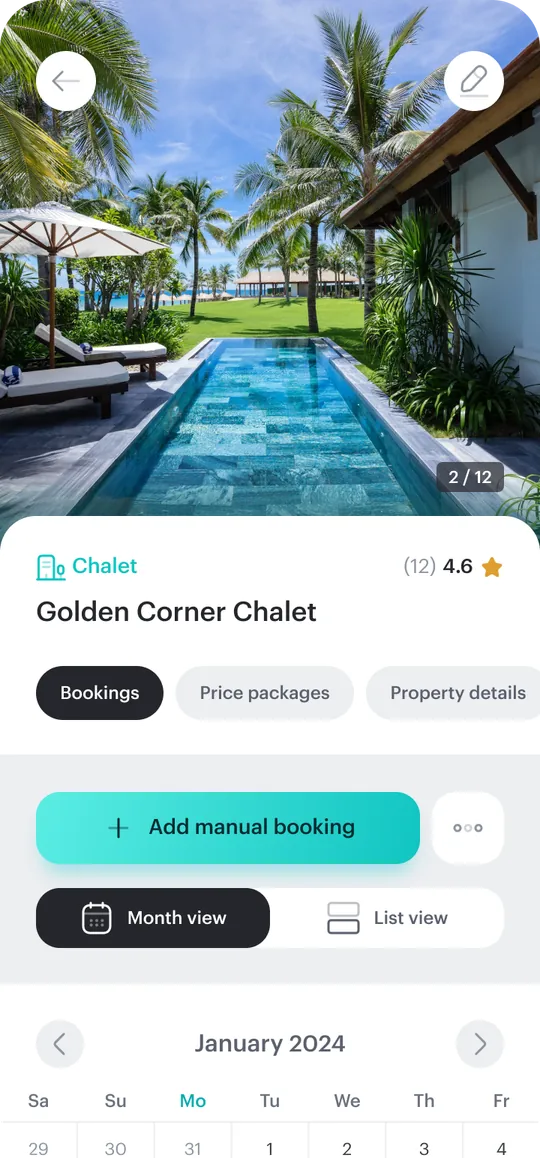
01Month view of bookings 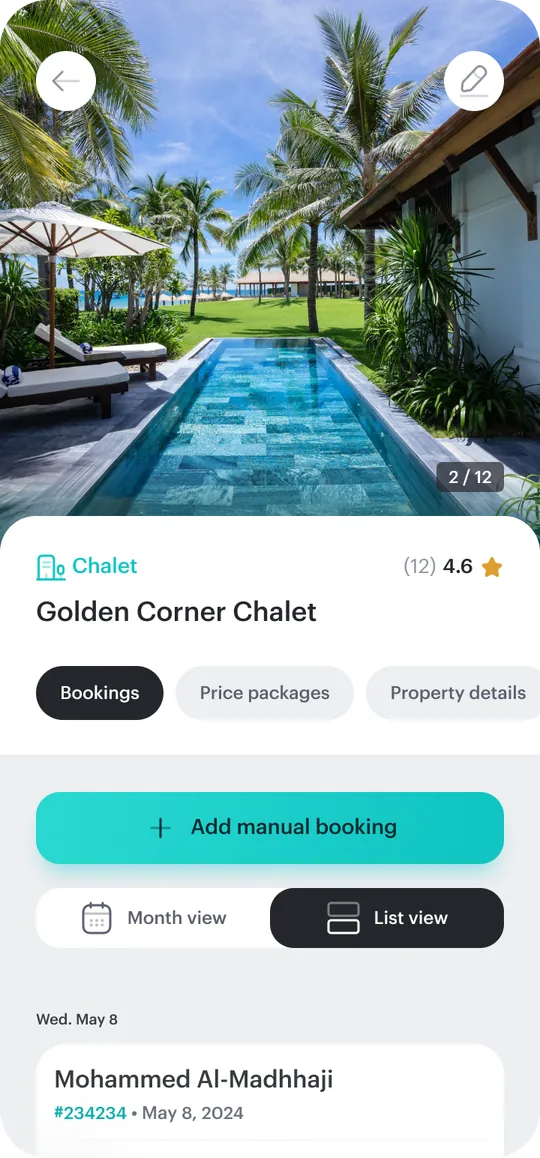
02List view with booking status 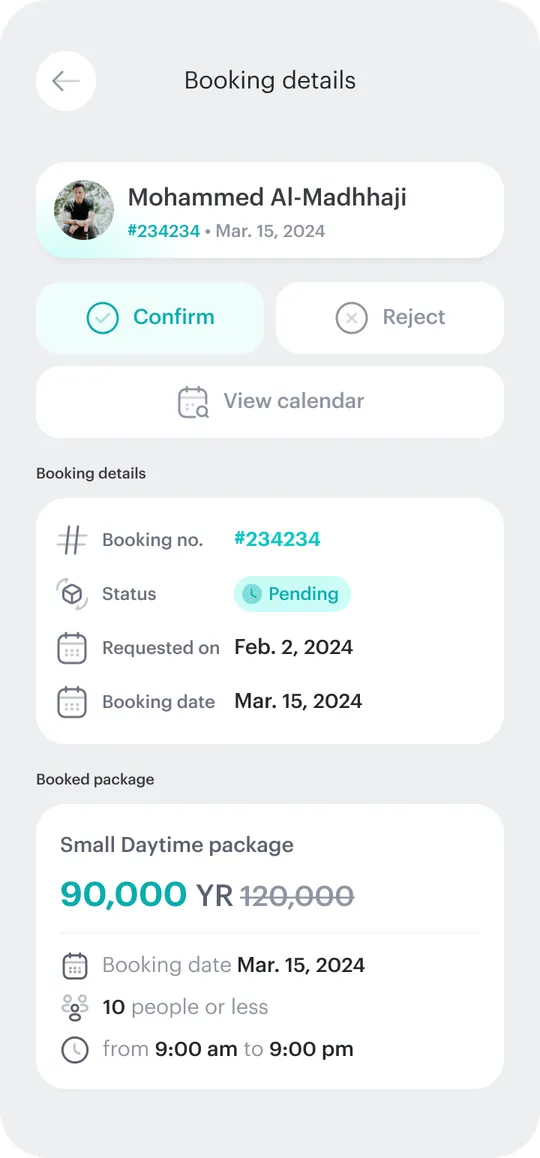
03Confirm or reject a request 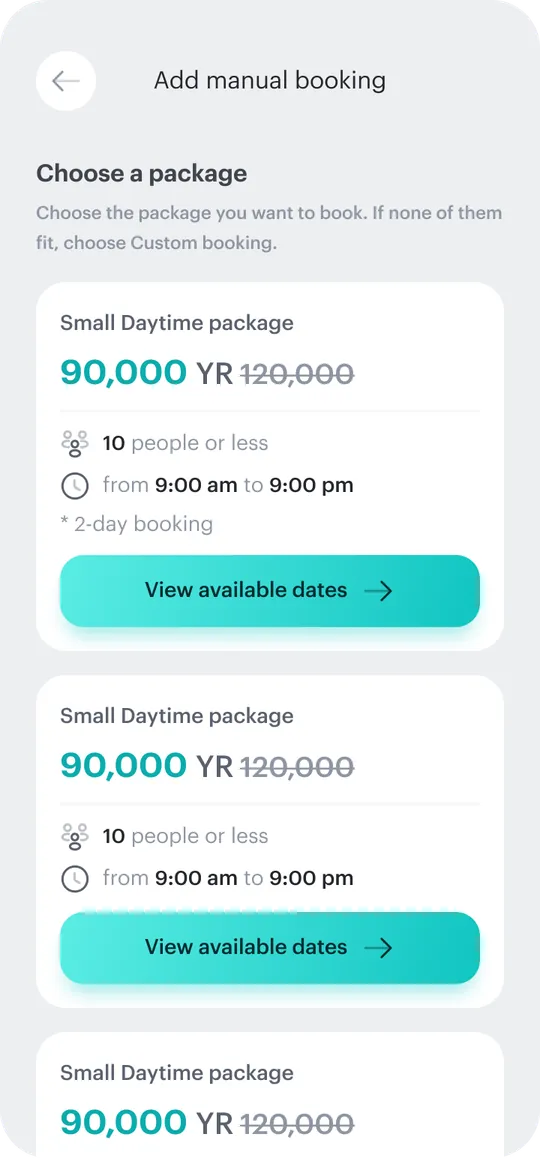
04Add a phone booking: pick a package 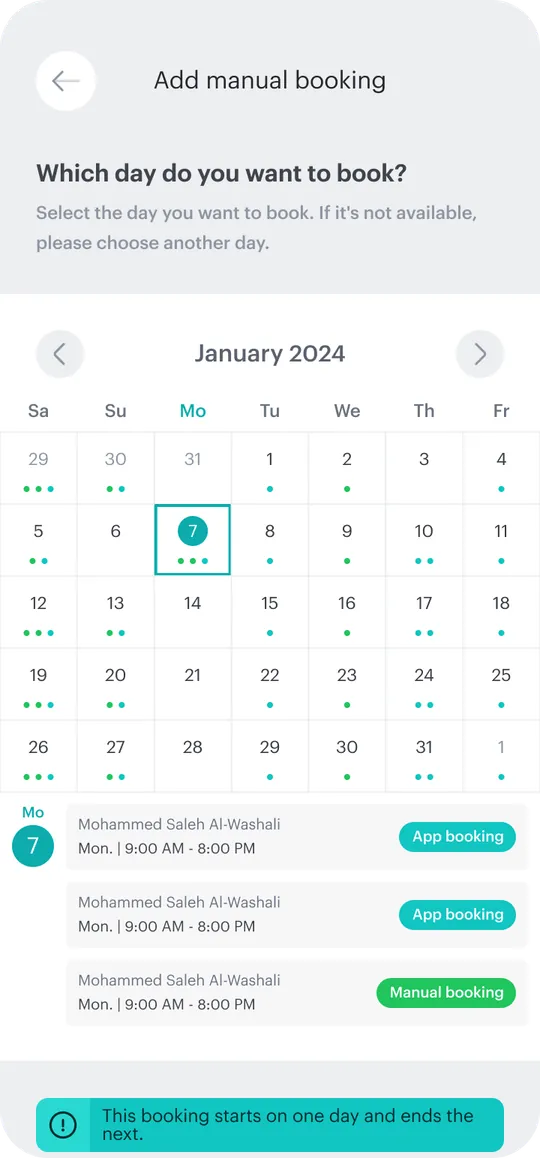
05Taken time slots are flagged 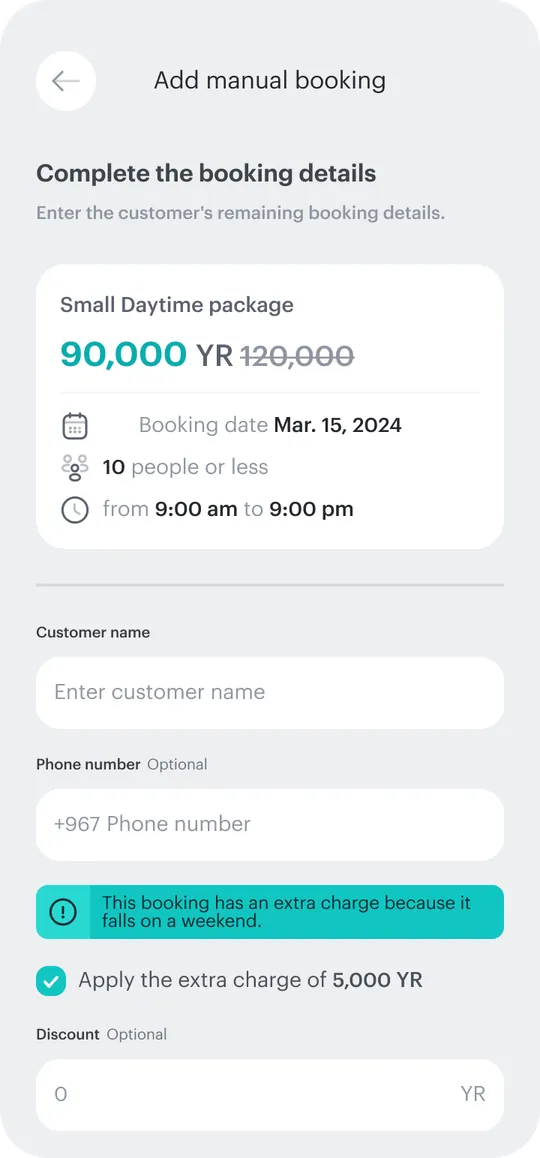
06Record the deposit and the balance 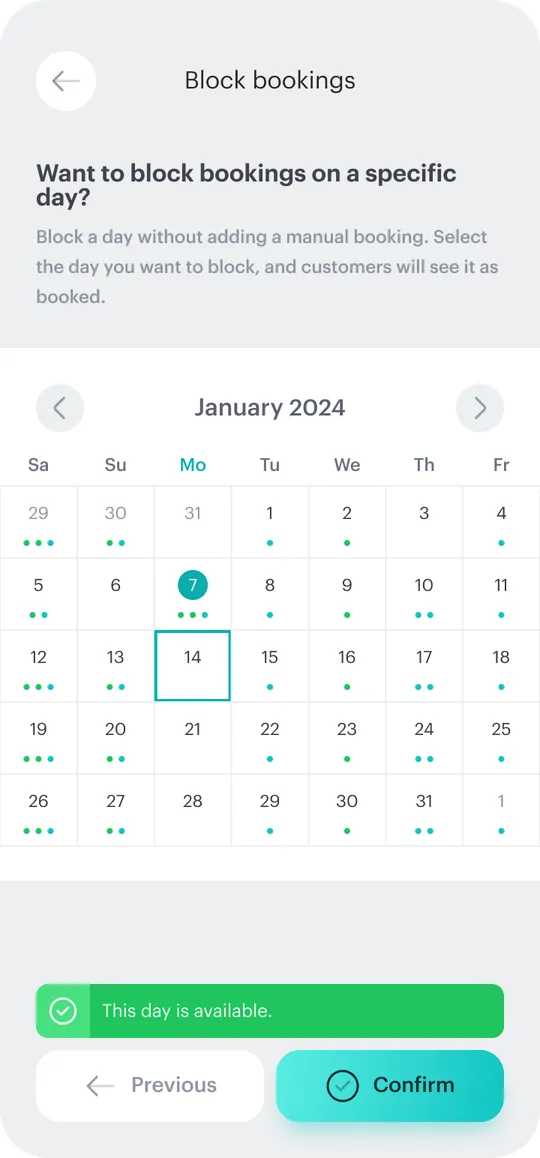
07Block bookings on a day 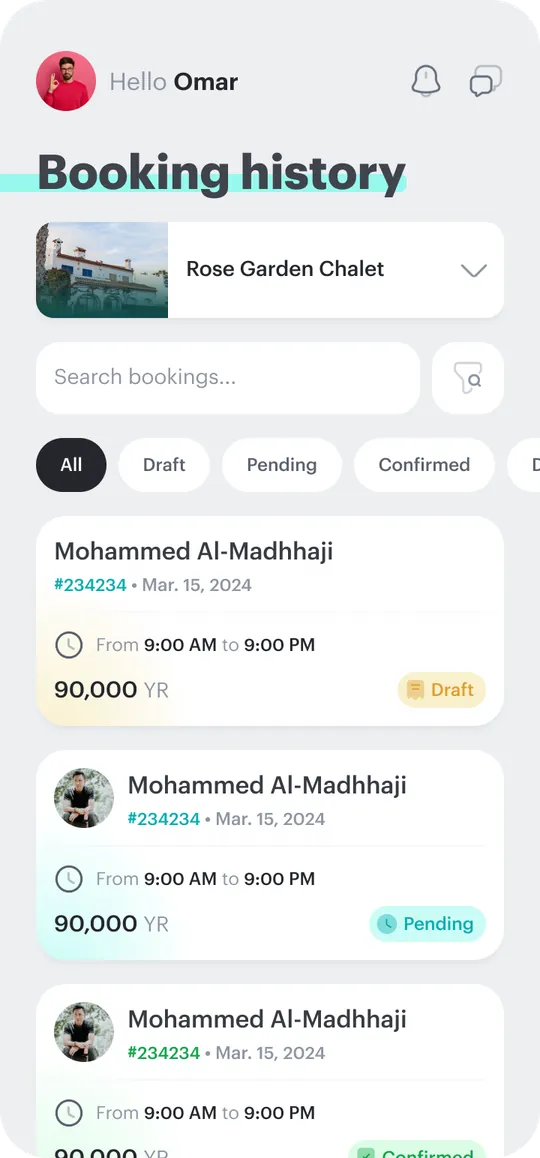
08Browse and filter booking history
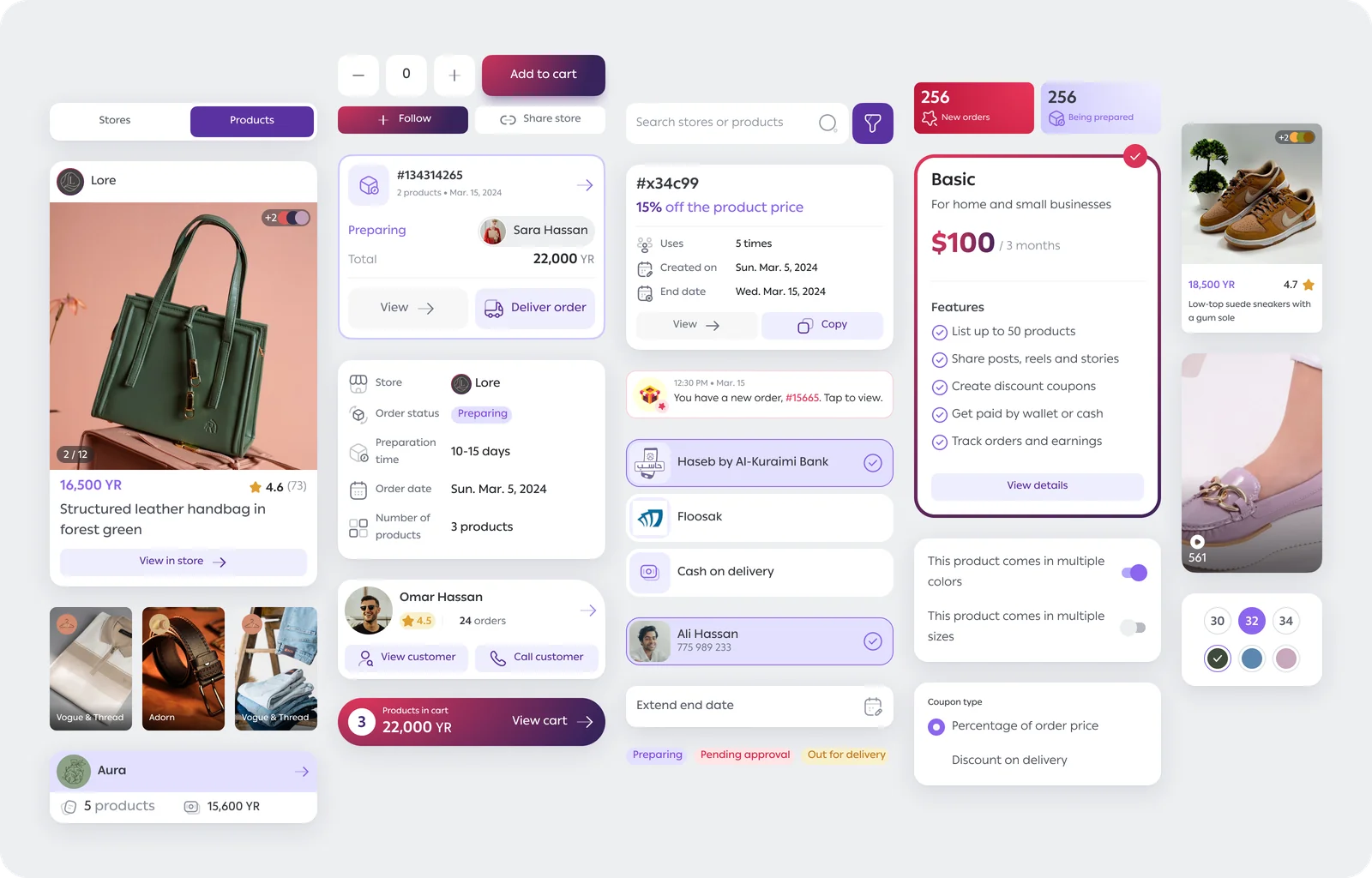
Design system
One system for two apps
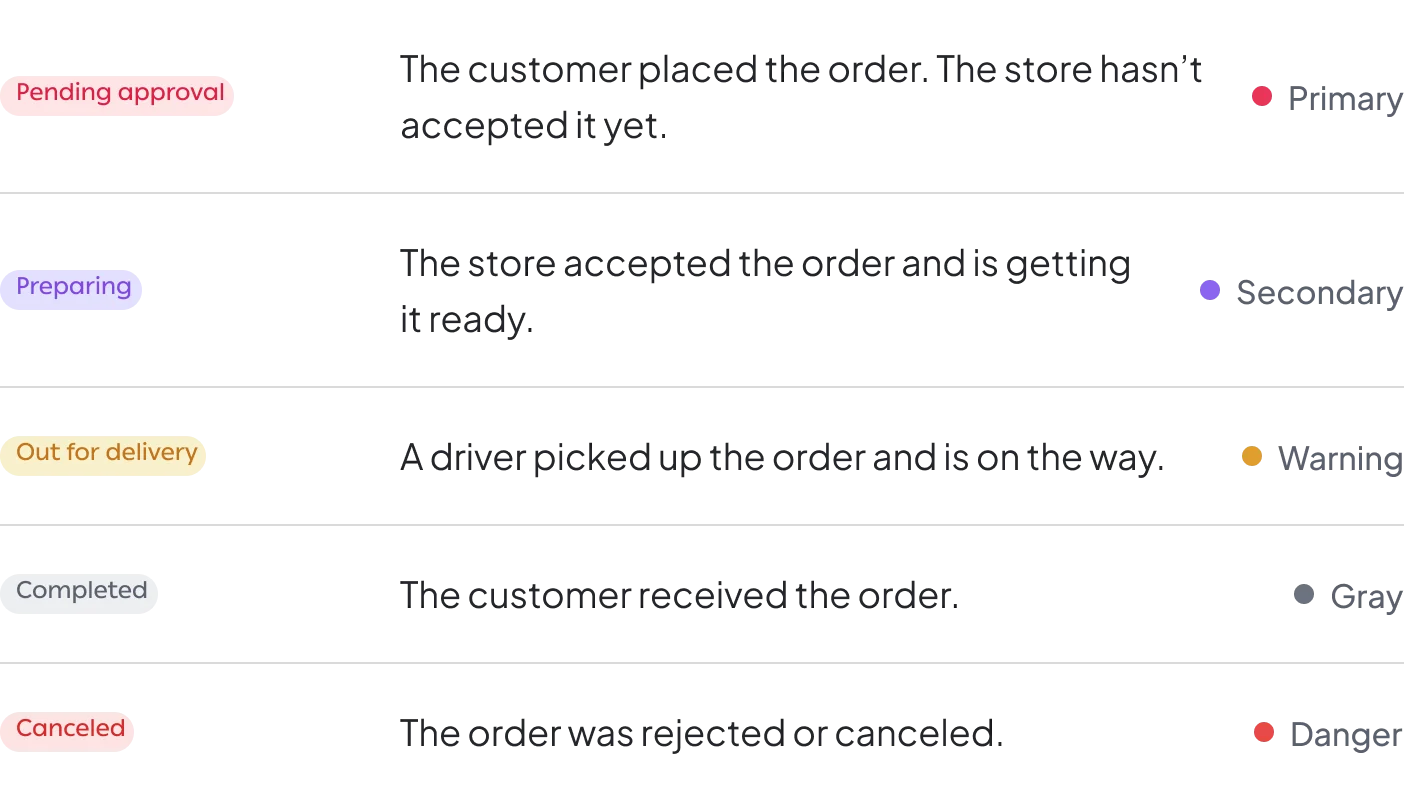
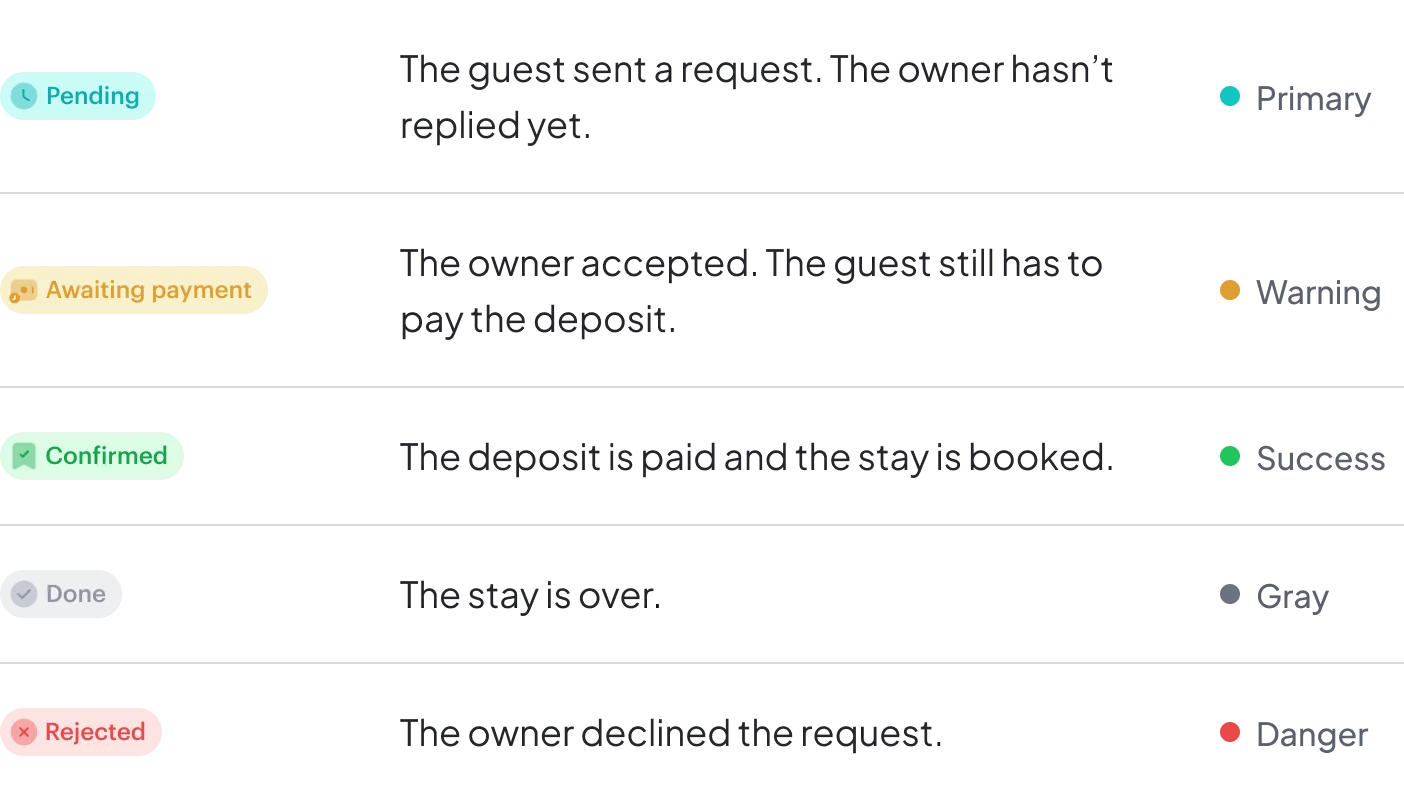
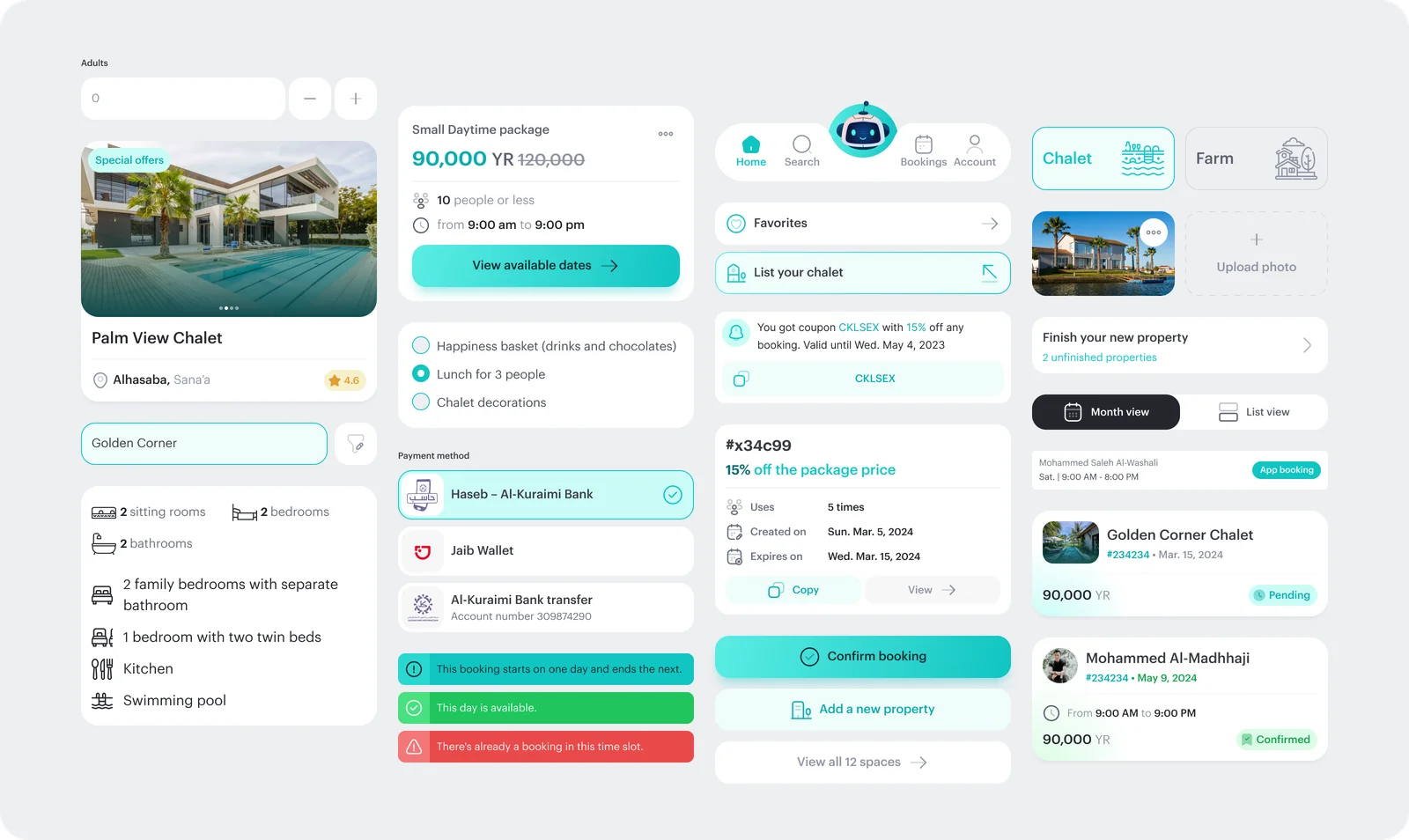
Both apps share one component library and one set of color tokens, so a booking card, a price package or a calendar day looks the same to the guest and to the owner. Status colors carry the same meaning everywhere, from a new request to a finished stay.
Color
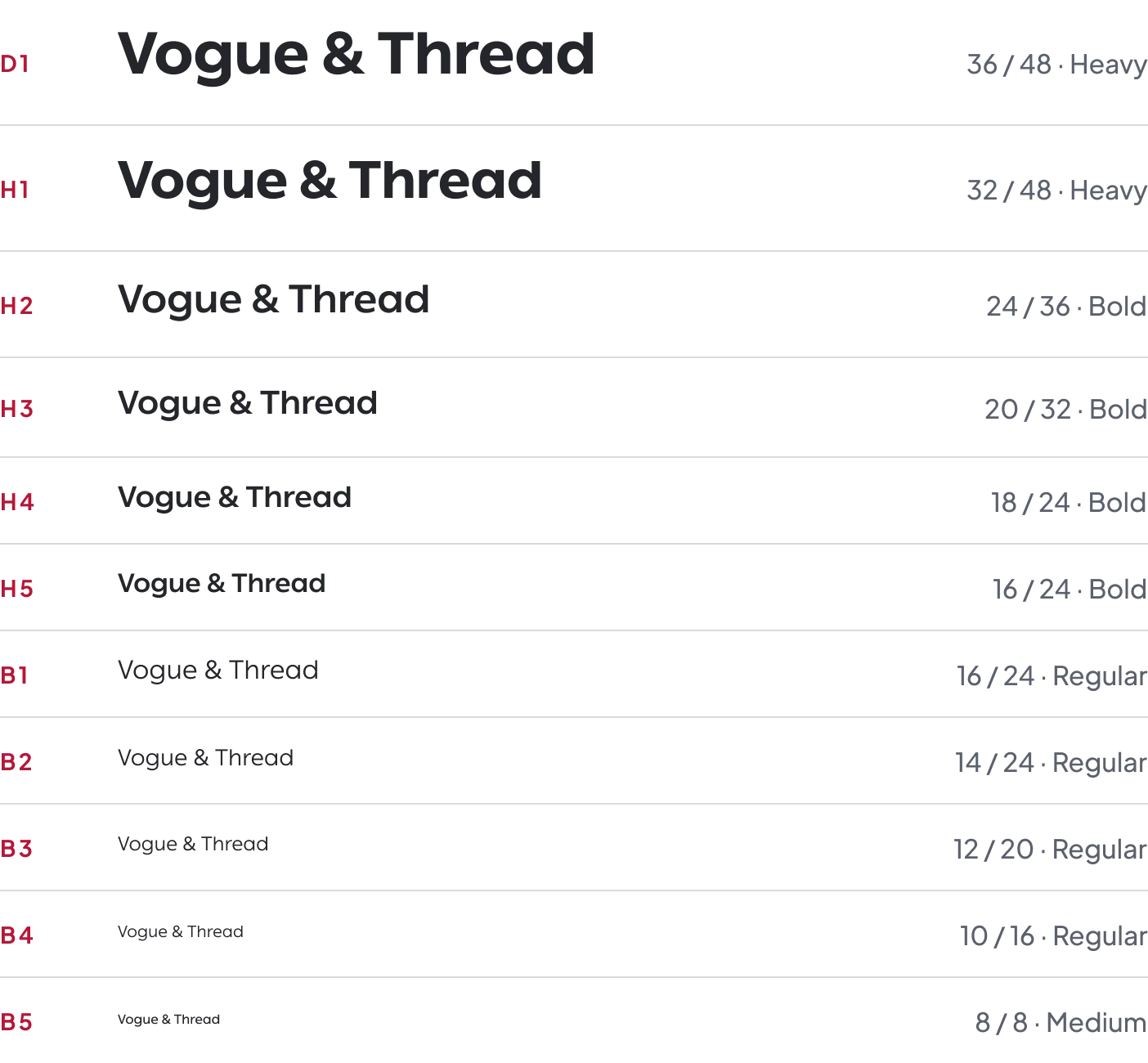
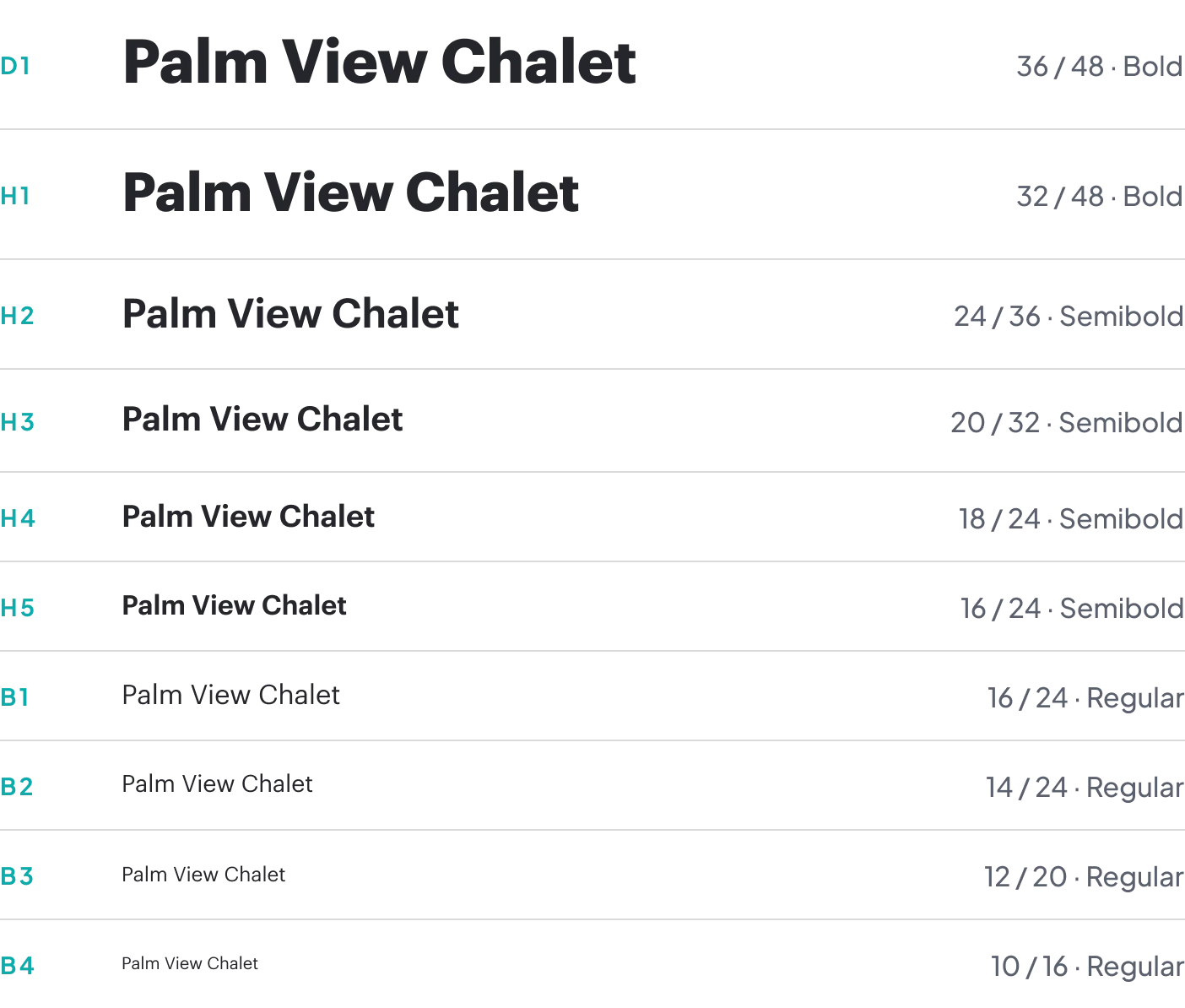
Typography
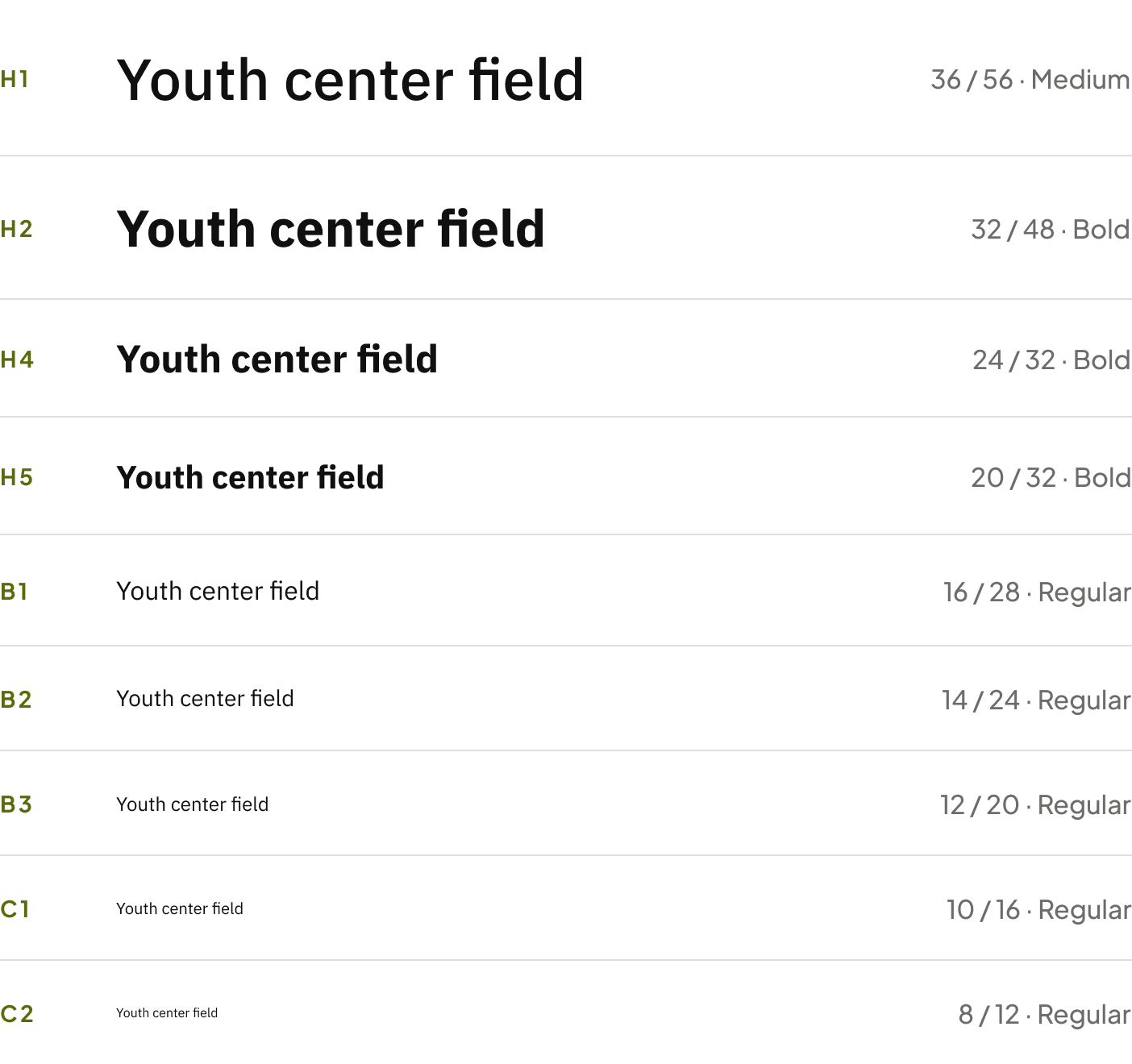
Ten sizes, from display to fine print
Set in Graphik Arabic. Each size has a tight line height for one-line labels and a relaxed one for paragraphs.
Status
One color per booking status
A booking moves through five statuses. Each keeps its color on every card, list and detail screen in both apps.
Shape & depth
Corners, shadow and the brand gradient
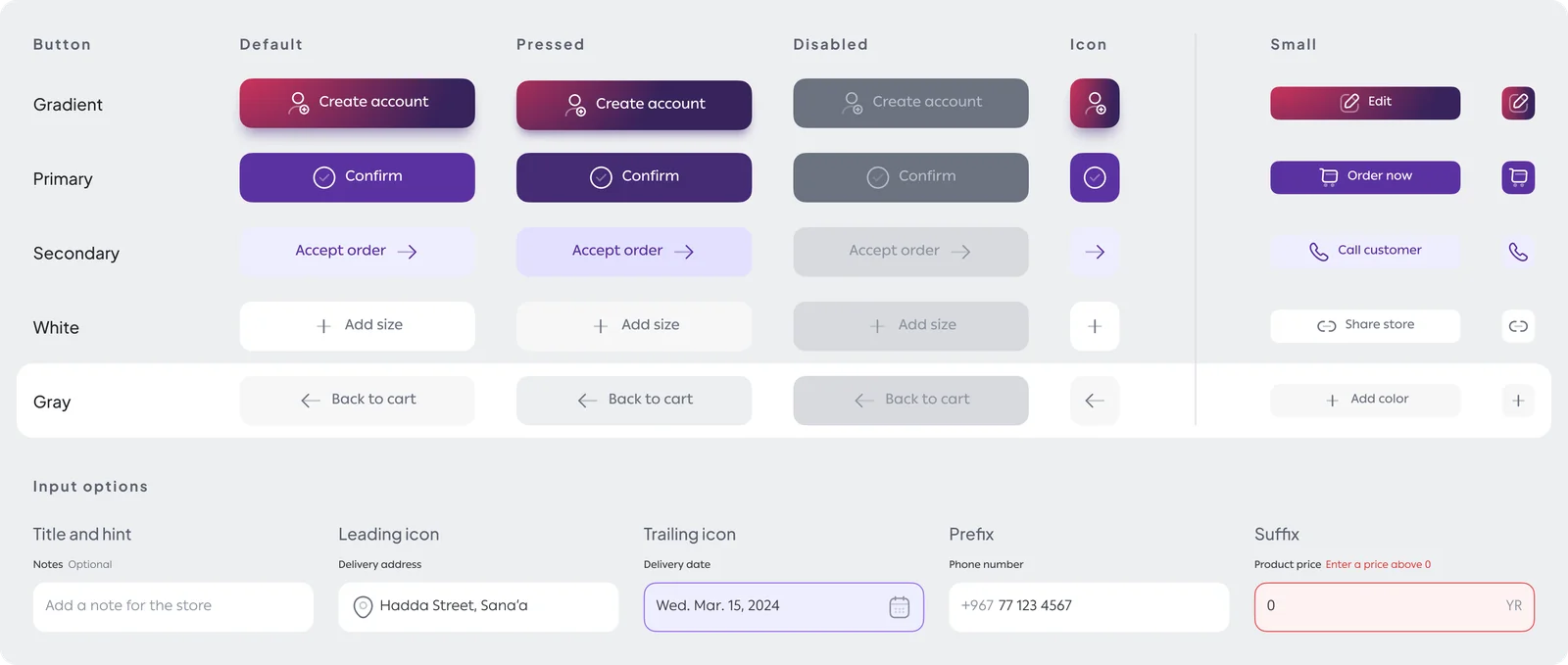
Five corner radii cover every surface, from small buttons to pills. Cards lift with one soft shadow, and main actions use the brand gradient, which darkens when pressed.
- 12Card small, Button small
- 16Button, Input
- 20Card
- 24Container
- FullPills, avatars
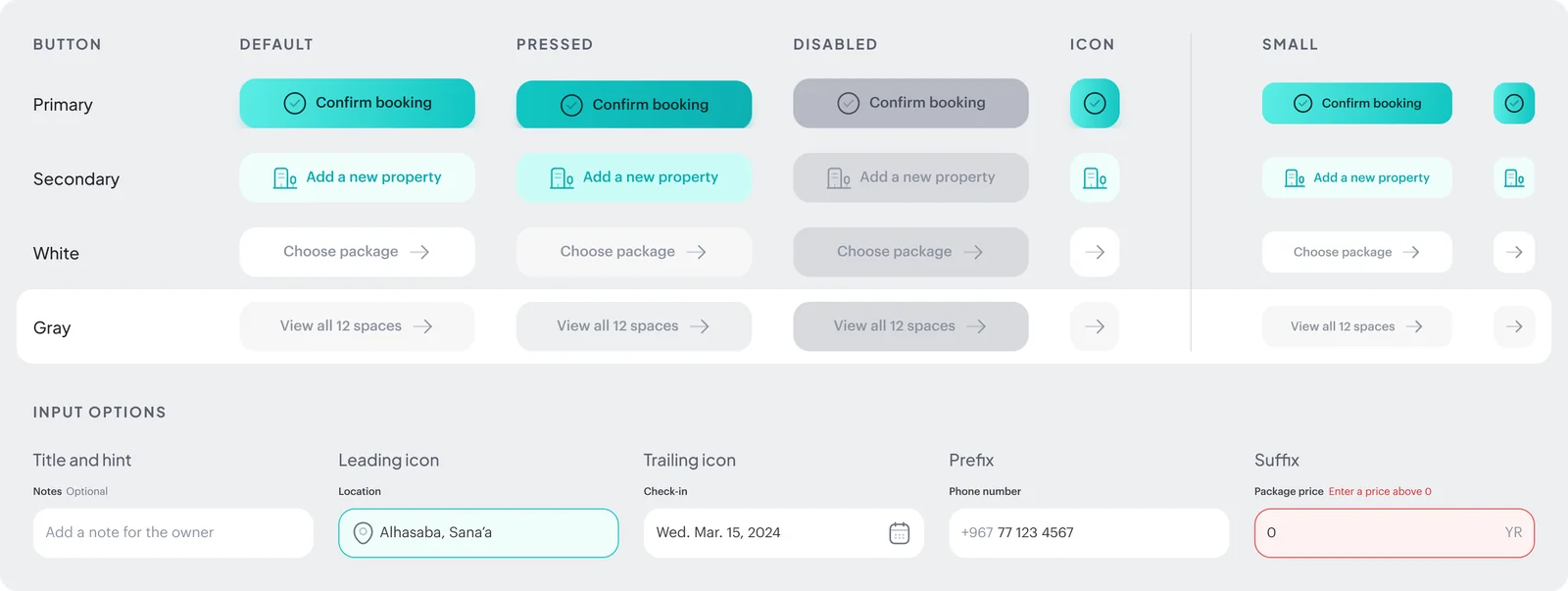
Component states
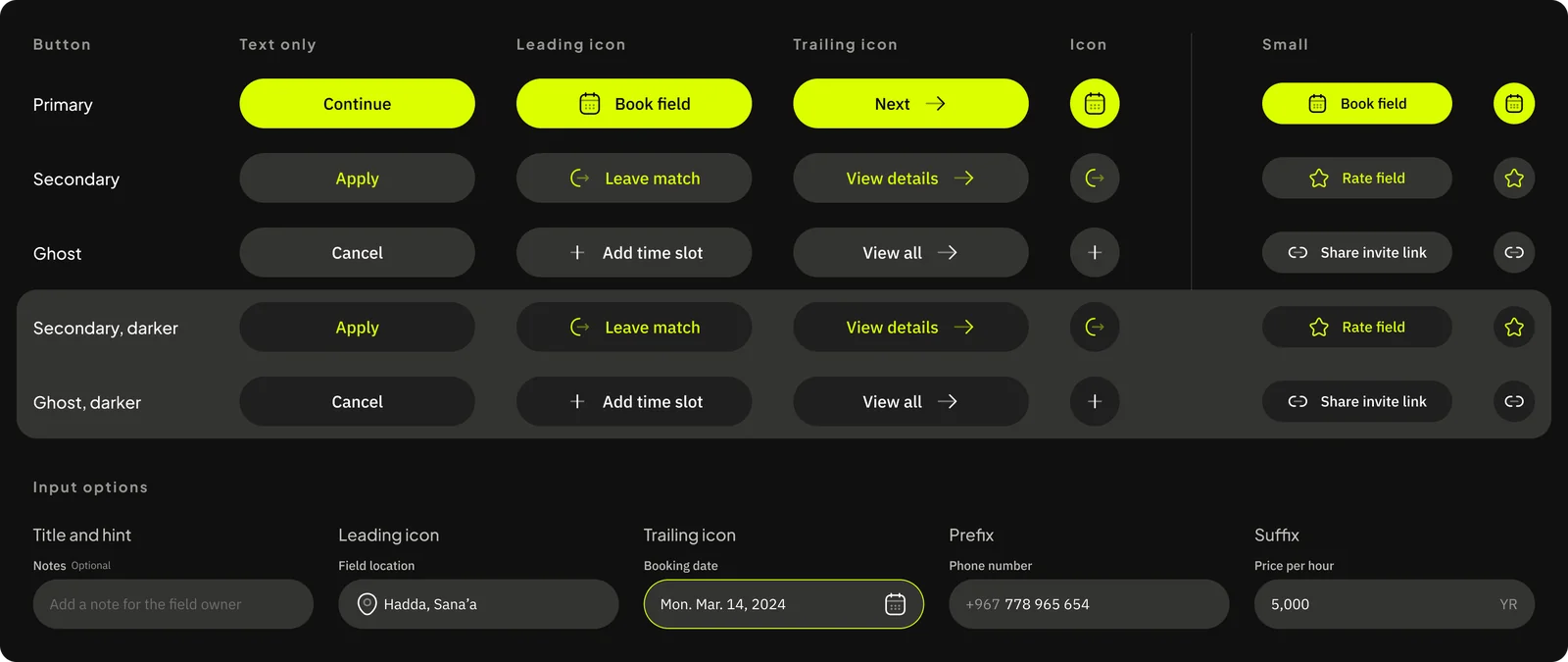
Every state is designed, not just the default
Each button type has a default, pressed and disabled state. Inputs change as the user types, so it’s always clear which field is active.
Thanks for reading
Ehjezlee has been live on the App Store and Google Play since August 2024, with 68K+ downloads, 17K+ customer accounts and 159 properties listed.